Hello,
First, please note that using OAuth2 from a CFD app can be challenging, so if your CRM supports a different way of authentication, then maybe that would be preferred.
OAuth2 requires several steps:
1) You need to authorize the app. This is usually a manual procedure. You need to open the authorization endpoint in your browser, grant access, and this will give you an "authorization code".
2) With this authorization code, you need to invoke the token endpoint, in order to get a refresh token.
3) Once you have the long live refresh token, you use it to get a short live access token, using the token endpoint.
4) You use the access token in the authorization header of your HTTP requests to the API.
So, points 1 and 2 are something that you will need to do from outside the CFD app. For the first point, you will need to do this from the browser. For the second point, you can use Postman for example, to send the POST request to the token endpoint.
Then, from the app, you will need to use an
HTTP Requests component to execute the step 3, for example when the call starts. Here you will hardcode the refresh token obtained in step 2, and you will use it to get the access token. In order to parse the JSON response and get the access token, you can use the
JSON / XML Parser component.
Finally, you can use the
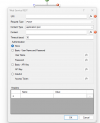
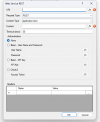
Web Service REST component for all your API calls. For this, you will use the access token obtained just before, you can set it in this component by selecting the variable that has the access token in your CFD app.




 think it was a lot easier than HaloPSA! haha