Blacklisted for 1501 seconds

Status
Not open for further replies.

saint_

Forum User
Advanced Certified
Joined
Aug 21, 2018
Messages
219
Reaction score
26
I don't get it.
My email is getting bombarded with messages like

IP 37.49.230.56 has been blacklisted on PBX XX.YY.ZZ
Affected Module: SIP Server/Call Manager
User agent: Cisco-SIPGateway/IOS
The IP 37.49.230.56 has been blacklisted for 801 seconds. (Expires at: 2019/11/30 03:02:59).
Reason: Requests rate is too high!
(...)

While my blacklist interval is setup to 31536000
The 801 seconds shows in emails with a number from 101 to 801 seconds randomly. Sometimes 105 seconds. Sometimes 402..

I rebooted the PBX in case this (blacklist interval) setting was not taken in account, but still...
Any idea?
 
I have seen that ip come up to.
 
I'm more concerned about the "Blacklisted for 101 seconds" instead of the 31.536.000 that I have setup...
 
Look in your activity log, I am betting you will see that ip more than once, normally they keep the rate lower than the threshold to ip ban.


Maybe the 101 ban came from the Automatic Global 3CX IP Blacklist.

Whitelist your incoming port 5060udp to your sip trunks only should fix this.
 

Attachments

  • 56-3.png
    56-3.png
    31.3 KB · Views: 18
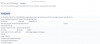
this ip shows up about every 3 minutes, but is only banned for about 1 to 2 minutes..
 
this ip shows up about every 3 minutes, but is only banned for about 1 to 2 minutes..

At the firewall level whitelist your incoming port 5060udp to your sip trunks only, that should fix this.
 
At the firewall level whitelist your incoming port 5060udp to your sip trunks only, that should fix this.
Don't do this if you use STUN remote extensions because they won't connect.
 
  • Like
Reactions: AWS2P
Yo can change 5060 to other port for SIP traffic, doing this has been a real stop for me in hack attempts
 
  • Like
Reactions: Evolute IT
I understand, thank you. But I'd really like to understand why the blacklist are only in the list for 100 to 500 seconds, while I set it up for 1 year in my settings.
 
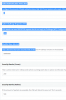
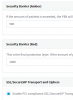
my security settings are
 

Attachments

  • 1575239507629.png
    1575239507629.png
    39.8 KB · Views: 22
Hi @saint_

What version is your PBX?
 
This is due to the Amber Security Barrier. Depending on how many packets are sent and how often, the system will add seconds to the ban, and will reach the maximum eventually if they hit the the Red barrier.

This is why you may see this vary. I would recommend to also enable the Automatic Global 3CX IP Blacklist.
 
@JohnS_3CX
Hi
Amber barrier says "PBX will block the source IP for 5 seconds"
How do we come up with the 101, up to 101 seconds ? Is this documented anywhere? All the doc I found online only talked about 5 seconds..

I already have the Global IP Blacklist enabled ..
 
Depending on how many packets arrive in a given amount of time, the seconds will vary for each ban

Like I said above, the system adds seconds, in 5 increments to the ban, so depending on the rate of attack it will end up accumulating say 200 seconds, or 400 or 600 etc. If the rate triggers Red, it will add the maximum
 
@JohnS_3CX Thank you for the explanation.. You guys might want to add this little note in the doc so admins don't go crazy :)
 
  • Like
Reactions: JohnS_3CX
3CX security is a "blackbox" (3cx team is stingy with explainations on this particular subject) :), you use it as it is furnished, even if you don't know what happens or why , it save your ass all the time.;):p

13347
 
Status
Not open for further replies.

Latest Posts

Forum statistics

Threads
111,934
Messages
589,821
Members
164,813
Latest member
divdigital