- Joined
- May 6, 2019
- Messages
- 74
- Reaction score
- 25
This is an OLD problem that started nearly a year ago. It has not been helped by newer versions of the 3CX software and we are currently running 16.0.504 on an internally hosted Debian server. Firewall is a Sonicwall TZxxx and the 3CX firewall check always passes with a green check mark. I have two SIP trunks both going to SIP.US and using the 3CX templates for those connections. SIP.US provides connections at gw1.sip.us and gw2.sip.us and 90% of the time this works great.
The problem comes seemingly randomly where the 3CX server can only see one of the SIP servers for a period of time and then it suddenly snaps back to working again. Most of the time the secondary is unreachable but not always.
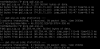
Registration at SIP.US Secondary has failed. Destination (sip:74.81.71.18:5060;lr) is not reachable, DNS error resolving FQDN, or service is not available.
03/31/2020 8:51:06 AM - [CM504005]: Registration failed for: Lc:10001(@SIP.US Secondary[<sip:[email protected]:0/UDP>]); Cause: Cause: 408 Request Timeout/REGISTER from local
This morning I rebooted the Debian server and this time the secondary came online while the primary was locked out
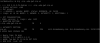
Registration at SIP.US Primary has failed. Destination (sip:65.254.44.194:5060;transport=TCP;lr) is not reachable, DNS error resolving FQDN, or service is not available.
To be consistent I rebooted the Debian server yet again, a mere 2 minutes later and this time the Primary came online again, with the secondary down. This will continue for a day or so and then suddenly start working again. Since it shows the correct IP it would appear DNS is not the problem. When we do a trace on SIP.US server side their server never receives a connection from my static IP here at the office.
I have removed both SIP trunks and added them back in more times than I can remember, and nothing changes in a few hours or a day. This time, however, it has been failing for just over a week now, solid.
This is very annoying and I would like to get this resolved once and for all. Does anybody have any suggestions? I have a WireShark packet capture of a SIP registration attempt, what should I be looking for?
GREATLY appreciate any help.
The problem comes seemingly randomly where the 3CX server can only see one of the SIP servers for a period of time and then it suddenly snaps back to working again. Most of the time the secondary is unreachable but not always.
Registration at SIP.US Secondary has failed. Destination (sip:74.81.71.18:5060;lr) is not reachable, DNS error resolving FQDN, or service is not available.
03/31/2020 8:51:06 AM - [CM504005]: Registration failed for: Lc:10001(@SIP.US Secondary[<sip:[email protected]:0/UDP>]); Cause: Cause: 408 Request Timeout/REGISTER from local
This morning I rebooted the Debian server and this time the secondary came online while the primary was locked out
Registration at SIP.US Primary has failed. Destination (sip:65.254.44.194:5060;transport=TCP;lr) is not reachable, DNS error resolving FQDN, or service is not available.
To be consistent I rebooted the Debian server yet again, a mere 2 minutes later and this time the Primary came online again, with the secondary down. This will continue for a day or so and then suddenly start working again. Since it shows the correct IP it would appear DNS is not the problem. When we do a trace on SIP.US server side their server never receives a connection from my static IP here at the office.
I have removed both SIP trunks and added them back in more times than I can remember, and nothing changes in a few hours or a day. This time, however, it has been failing for just over a week now, solid.
This is very annoying and I would like to get this resolved once and for all. Does anybody have any suggestions? I have a WireShark packet capture of a SIP registration attempt, what should I be looking for?
GREATLY appreciate any help.