Break / Away Times - Ignore from certain extensions

Status
Not open for further replies.

prb1412

Premier Customer
Joined
Feb 8, 2023
Messages
44
Reaction score
5
I am using the Break to specify a time phones should not ring in our pre-k classrooms. When class is in session I have the break turned on, and a voicemail option using the * key for parents to reach our corporate office in an emergency. My dilemma is, once the office gets the call they need to reach the classroom via 3cx. I originally planned on using the exceptions rule, but apparently it does not work the way I wanted it to. I would like to allow certain extensions to be able to "ring" the phone when it is on a break. Any ideas?
 
I am using the Break to specify a time phones should not ring in our pre-k classrooms. When class is in session I have the break turned on, and a voicemail option using the * key for parents to reach our corporate office in an emergency. My dilemma is, once the office gets the call they need to reach the classroom via 3cx. I originally planned on using the exceptions rule, but apparently it does not work the way I wanted it to. I would like to allow certain extensions to be able to "ring" the phone when it is on a break. Any ideas?
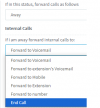
Break times is "Away", so just configure that status to accept internal calls and refuse external ones.
 
I hoped it would be that easy. But there is no option to allow internal calls to ring the extension that I can find.

None of the away options work, and you cannot forward to your own number. They have no mobile number, just 3cx.
AWAY 1.PNG

The Option for ring group does nothing. There does not appear to anywhere to define which ring groups
1724841061025.png
1724841178190.png

When I call from Ext 210 which is in a ring group, I get fwd to voicemail.
ring group fail.PNG
 
Break times is "Away", so just configure that status to accept internal calls and refuse external ones.
Hi,
Is it an hidden option ?
I would like to be able to do exactly that but no way to find how.
Thanks
 
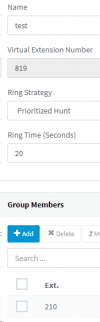
You can create a Ring Group for each of your rooms.

Add the 1 room extension into this ring group

Then go into your forwarding rules and allow calls from ring groups for your internal calls.

When the office calls the extension of the room, they will be diverted to the system extension which is the ring group and the call comes in, as you now have the option active to accept these calls.
 
Hi Nicholas,

Thank you for your help.
I believe it would be useful for users’ extensions to be able to choose to receive calls (internal/external) while away.

For example, we use teams status sync, and it makes auto-away as the user is not behind his computer.
The user is then unable to receive calls on his DECT handset.

Maybe you can add this feature in the next version ?
 
Status
Not open for further replies.

Forum statistics

Threads
111,954
Messages
589,921
Members
164,851
Latest member
DrunkeMeister