Call Flow Script: Quickly Change Queue Login Status with Dial Code

Status
Not open for further replies.

IliasL_3CX

Staff member
Joined
Jun 2, 2014
Messages
147
Reaction score
118

Manage your queue login status by dialing a dial code.​

This script allows agents to toggle their queue login status by dialing predefined codes. Whether logging into or out of all assigned queues, agents can quickly adjust their availability without navigating menus. These scripts - Force Log in and Force Log out - showcase the flexibilit...
Continue reading the Original Blog Post.
 
Hello,

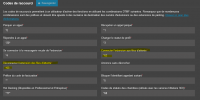
What is different than "*62* & "*63" that we can already change in the dial code ?

1733837739566.png
 
@KoesioOccitanieTech,
This script is just to demonstrate what can be done using call processing script, so that you can implement your own logic in order to achieve a different behavior other than the one offered by the system. For example log out of queues for a certain amount of time without changing a profile
 
Last edited:
The difference between this and the existing *62 / *63 from what I can tell is that the *62 / *63 works like the regular queue button on the web console and apps where it signs you out of the queues you are presently signed in on. If you have multiple queues it won't sign you back into a queue you were previously logged out of.

With the new call flow script, if you have multiple queues it signs the user into all queues that they are a member of.

This is great for when a manager signs someone out of a specific queue and then breaks the queue in/out button for the user. Especitally now because the v18 management console option for a manager to sign someone out doesn't exist.

I love this, we can enable this for customers to allow users to easily sign into all queues that they are members of without showing them how to navigate the menus.
 
option for a manager to sign someone out doesn't exist.
The Queue Managers can still log someone in and out of a queue. Its the Admin that doesnt have the right anymore, unless they are a queue manager.
 
  • Like
Reactions: Evolute IT
The Queue Managers can still log someone in and out of a queue. Its the Admin that doesnt have the right anymore, unless they are a queue manager.
But can a queue manager sign the user out of all queues so that they don't break the users sign in/out Q button?
 
The selective log out has a specific function. Think of the queue managers logging an agent out as ripping th fuse out of a circuit, rather than just switching them off.
 
Is it possible to log in or out from a specific queue via feature code instead of logging in or out from ALL the queues?
 
Is it possible to log in or out from a specific queue via feature code instead of logging in or out from ALL the queues?
You could try creating a department for this specific queue then have the log out of queue script in integrations assigned to that specific department. I havent tested this myself but may work
 
Is it possible to log in or out from a specific queue via feature code instead of logging in or out from ALL the queues?

Please note that there is no native feature code to log in or out of a specific queue. The default dial codes *62 for Login and *63 for Logout are global and apply to all queues of which the extension is a member.
 
Status
Not open for further replies.

Members Online Now

Forum statistics

Threads
111,834
Messages
589,287
Members
164,662
Latest member
DejanMDS