Call issues - Cause 503 : Remote end tunnel not connected

Status
Not open for further replies.

Jean1

Gold Partner
Basic Certified
Joined
Aug 8, 2019
Messages
11
Reaction score
0
Hi everyone, i need your help regarding 1 bad month for me, here is my setup :

3cx : V16
Trunk SIP : Keyyo
Remote installation on Google VM
Installation : -27 Galaxy S9 Softphone
-4 T58

Specification : I have two cascading router, the first one has firewall disabled.
The softphone are connected though the wifi managed by the second router, the wifi is unifi.

Trouble:
I am having, since the first day of the installation several cut & blank when my client is using softphone or sometimes but less frequently the T58. So i decided to run a log during the day to see what happened and this is what i got:

05/09/2019 16:45:23 - Leg L:2906.4[Extn:16] is terminated: Cause: 503 Remote end of tunnel is not connected/INVITE from 127.0.0.1:5080

Anyone know what could create that error, and is it the real cause of my problems ?

Have a great day, thanks !
 
Hi everyone, i need your help regarding 1 bad month for me, here is my setup :

3cx : V16
Trunk SIP : Keyyo
Remote installation on Google VM
Installation : -27 Galaxy S9 Softphone
-4 T58

Specification : I have two cascading router, the first one has firewall disabled.
The softphone are connected though the wifi managed by the second router, the wifi is unifi.

Trouble:
I am having, since the first day of the installation several cut & blank when my client is using softphone or sometimes but less frequently the T58. So i decided to run a log during the day to see what happened and this is what i got:

05/09/2019 16:45:23 - Leg L:2906.4[Extn:16] is terminated: Cause: 503 Remote end of tunnel is not connected/INVITE from 127.0.0.1:5080

Anyone know what could create that error, and is it the real cause of my problems ?

Have a great day, thanks !
  1. Is SIP ALG disabled on both devices?
  2. How are the T58 connected to the PBX? SBC, STUN or VPN?
  3. Softphones uses Wi-Fi I guess, could they be out of range and the connection fails?
  4. By the way, why have 2 routers? This is just asking for trouble IMO. If the Unifi is a router, it can do it all so no need for the other one. This might cause issue in NAT so when dynamic ports change, the routers cannot follow through.
 
Hey Frederick, thanks for your reply !

1 -> Yes it is desable
2 -> Stun connection for the T58
3 -> I fallow your advise and i have now only one router. Do i have to create local rules on my router even when it's a VM configuration ?

Have a great day,
 
Hey Frederick, thanks for your reply !

1 -> Yes it is desable
2 -> Stun connection for the T58
3 -> I fallow your advise and i have now only one router. Do i have to create local rules on my router even when it's a VM configuration ?

Have a great day,
  1. Excellent.
  2. For STUN, static IP + port forwarding for the phone SIP and RTP ports is the best (about your #3). I recommend you set a reserved IP and forward the ports you selected in 3CX.
 
Ok Perfect, thanks for your help, i will edit the rules for STUN.
And for the android Apk, they are currently using SBC on 5060, i have nothing to do ? :)
 
Ok Perfect, thanks for your help, i will edit the rules for STUN.
And for the android Apk, they are currently using SBC on 5060, i have nothing to do ? :)
Yes, make sure your rules are good and also make sure QoS is enabled and is tagging VoIP traffic as EF.

The Android app uses the tunnel (port 5090 btw) so no you don't need to do anything!
 
I have only VOIP on this network so is QoS usefull ?
On my cellphones it says that the APK is using 5060 tunnel, is it normal ?

Sorry for the dumb questions, i have just to be sure i havn't any remaining mistakes ;)
 
I have only VOIP on this network so is QoS usefull ?
On my cellphones it says that the APK is using 5060 tunnel, is it normal ?

Sorry for the dumb questions, i have just to be sure i havn't any remaining mistakes ;)
The app uses 5090. It fallsback to 5060 if tunnel is not working.

As for QoS, it's always useful but most router have pre-configured rules.
 
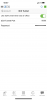
Here's my tunnel config in the App -> Settings -> Accounts -> your name -> 3CX Tunnel.
 

Attachments

  • DDA91966-D1ED-4826-9A2E-8CAD62C89FF7.png
    DDA91966-D1ED-4826-9A2E-8CAD62C89FF7.png
    146.9 KB · Views: 21
Okay thanks, i got 5060 do you think it could creates issues ?
 
Okay thanks, i got 5060 do you think it could creates issues ?
It's pretty strange, normally 5060 is SIP and tunnel is 5090. I suggest you run Reprovision in the app settings. Just in case.
 
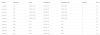
ok i will do that thanks, just to be sure i have those port forward rules but my router show me that it is not using it. Is it normal ?
 

Attachments

  • test.PNG
    test.PNG
    67.9 KB · Views: 16
ok i will do that thanks, just to be sure i have those port forward rules but my router show me that it is not using it. Is it normal ?
It is normal, if you just did them it will take some time for the stats to update.

By the way, you have 5 phones there, I strongly suggest you install a SBC to ease the setup and also fix all your port forwards issue (those are not needed when using SBC).
 
Ok thanks :)
Yeah you totally right, but i did not know how to do that usin with google Virtual machine..
 
Ok thanks :)
Yeah you totally right, but i did not know how to do that usin with google Virtual machine..
The SBC is installed on the phone-side. You put a small Intel PC on Debian 9 or a Raspberry Pi 3B+ and then install the SBC. It's easy to configure and manage and it's much much easier to use with +3 phones than STUN.
 
Status
Not open for further replies.

Members Online Now

No members online now.

Forum statistics

Threads
111,832
Messages
589,285
Members
164,662
Latest member
DejanMDS