Call recording / archiving issue

Lee Cramman

Premier Customer
Advanced Certified
Joined
Jul 9, 2018
Messages
694
Reaction score
166
I received a warning today about being near quota for our call recording which is odd because we're set up for remote archiving.

Two things don't look right:

1. Call recordings only show calls for today rather than showing all calls including archived (i.e. we are unable to retrieve calls from archive via 3cx, although I can still browse the files in the Google storage bucket).

2. If I browse to /var/lib/3cxpbc/Instance1/Data/Data/Recordings I can still see call recordings from several days ago which should have been archived.

The only other odd thing to happen this week on our usualy bulletproof install was a randomly stopped service which I restarted. I can't remember which service it was and the entry has disappeared from the Event Log now... but it did affect hotdesking users who could not log on or off at the time.

There doesn't appear to be a communication issue between the 3cx PBX and the storage bucket (it can still browse through the folders in the bucket) and I can't see any relevant errors or warnings.

edit: I also notice that the oldest files in /var/lib/3cxpbc/Instance1/Data/Data/Recordings coincide with the day we had the stopped service.
 
Last edited:
Follow-up to this.

I did an OS reboot after hours and everything looks right now, but the amount of temporary quota space taken up by recorded calls seems much higher than I'm used to seeing.

Have there been any recent changes to how calls are stored before archive? I seem to remember in previous versions that you could opt to store audio with additional compression (with some usability caveats), but I can't see that as an option any more.

I'm just wondering if this is a 'By design' thing that I need to allow for, or if I need to look into this further. I'm looking at 140 recorded calls so far today which is taking up 1.76Gb, which means we will burn through our temporary storage quota (5Gb) before end of day, whereas we never used to get close to that.
 
Last edited:
Recorded calls are no longer stored with compression. The recordings take up 1MB per minute of recorded calls.

In update 5, there will be an option to allow you to instantly archive the calls upon their completion.
 
Thanks @NicholasP_3CX

At 1MB / min, that puts us at over 29 hours of recordings stored after 1.5 hours of lines being open with only a handful of people working (five call handlers plus any outgoing calls made by other staff). That doesn't seem to add up.

I did try and manually archive everything so far today to see what effect it has on the space reported by the dashboard, but it stayed the same. Perhaps the dashboard lags a little when the space used changes?

Is there an easy way to tell if there are some files are living in those directories that shouldn't be? Or is that taken care of by 3cx housekeeping?
 
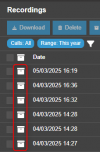
Archived recordings can be seen with the archive icon

1741257993417.png

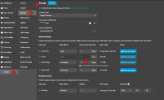
You can also see the amount of storage in use by the recordings

1741258211933.png

ALso, if you have access to the filesystem of the server you could check to see if there are any older recordings which may not be mapped in 3CX.
 
ALso, if you have access to the filesystem of the server you could check to see if there are any older recordings which may not be mapped in 3CX.

As I am seeing many files in this structure from months ago (I assume I should only be seeing recordings dated today), I strongly suspect this to be the case.

Is the fix as simple as waiting until the system is not in use, ensuring all recordings are archived and then completely clearing out the /var/lib/3cxpbx/Instance1/Data/Recordings directory?
 
As I am seeing many files in this structure from months ago (I assume I should only be seeing recordings dated today), I strongly suspect this to be the case.

Is the fix as simple as waiting until the system is not in use, ensuring all recordings are archived and then completely clearing out the /var/lib/3cxpbx/Instance1/Data/Recordings directory?
Thats correct. Just ensure that those recordings are actually in the archive though, or just transfer them over.
 
  • Like
Reactions: Lee Cramman
For those interested, we offer instant archival today. We also support compression (to 1/4 of the original size) with no "usability caveats" or detectable reductions in audio quality. We have taken our integration with AI to a completely new level with our "Ask AI Anything" feature. As the name suggests, you are no longer limited to transcription, summary and sentiment. Now you can automatically ask AI anything about your recorded calls.

Do you have a quality assurance team that reviews phone calls? We now offer automatic agent scoring (includes AI and Human scores with weighted questions). granular control over who's calls are analyzed automatically (or ad-hoc analysis as needed), the ability to select "Manager" rights on a per-department basis (enables QA staff to access department recordings even if they are not a member), visual representation of the audio while controlling playback speed, and there is even more due for release in a couple more days.

If you have not seen our latest 3CX Recording Manager tool, I encourage you to take a look. AI is truly amazing technology. Perhaps best of all, no need to give staff 3CX console access :)
 
In order to instantly archive the calls upon their completion i presume you set days to 0 ...just want to confirm ..thanks
 
  • Like
Reactions: NicholasP_3CX
In order to instantly archive the calls upon their completion i presume you set days to 0 ...just want to confirm ..thanks
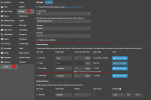
That is correct

1743747146324.png
 

Latest Posts

Forum statistics

Threads
111,964
Messages
590,000
Members
164,869
Latest member
hpgitsupport