


- Joined
- Jul 29, 2022
- Messages
- 22
- Reaction score
- 7
Hi,
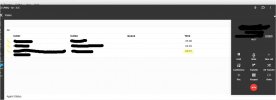
I've just noticed on one of our 3CX instances (V20 U7) that all calls start with a Time of 40 seconds and then starts counting down. After 40 seconds it starts counting up.
This is shown in the Panel and in the web client phone but not in the App.
This happens to all calls, in and outbound, calls to queues and direct to extensions. I've checked call forwarding rules and nothing is set for 40 seconds, calls aren't dropping.
I've checked all settings and can't figure what is causing this? Is there something I've missed?
I've just noticed on one of our 3CX instances (V20 U7) that all calls start with a Time of 40 seconds and then starts counting down. After 40 seconds it starts counting up.
This is shown in the Panel and in the web client phone but not in the App.
This happens to all calls, in and outbound, calls to queues and direct to extensions. I've checked call forwarding rules and nothing is set for 40 seconds, calls aren't dropping.
I've checked all settings and can't figure what is causing this? Is there something I've missed?


