Solved Can`t initiate calls from Phone for Windows Application

Status
Not open for further replies.

Dath

New User
Basic Certified
Joined
Mar 1, 2021
Messages
15
Reaction score
2
Hello 3CX Community,

as mentioned in the title, we currently can not initiate calls from the 3CX Phone for Windows Application.
This used to work fine but now we can't make calls by double clicking the contact oder dialing numbers into the App, no error message appears and nothing happens.
Trying to make calls that way from the web extension and the VoiP Phone itself works just fine.

I have read in another thread where the problem was solved by changing 3cx phone ports, but that was for a 3cx PBX running on the same system as the Softphone.

Ideas are appreciated.

Cheers, Dath
 
To first get a better understanding of your current setup, please provide the relevant information mentioned here: https://www.3cx.com/community/threads/information-to-provide-when-requesting-help.67558/
Which version of the 3CX Windows App are you running? (Check under Settings >> Advanced Settings >> About)

Also, can you not make any calls regardless of the destination? Does performing an echo test by dialing *777 fail also?

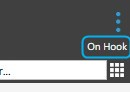
If that fails too, check where it says "On Hook" in the upper right section of the Windows App, do you get an error message there?
1622124172933.png
 
Hello,

sorry about the missing information, here you go:

  • 3CX Version, Professional Perpetual 16.0.8.9
  • Server OS, Debian 9
  • Is the 3CX Server Hosted and where? VM hosted on our servers
  • IP Phone Make/Model/Firmware Phone for Windows 16.3.0.220
  • Provisioning Method: Local / VPN / STUN / SBC Local
  • Trunk Provider or Gateway Make/Model Vodafone
  • Has the Firewall Checker passed: YES
  • Are custom Phone Templates being used: NO
As for your other questions: The *777 echo test works with no problems. The upper right corner you described shows just "CTI" or is empty when I use the textfield below.
 
If it reads CTI it means that the Windows client is set to control an IP Phone. First thing I'd recommend is switching back to Softphone mode and then try again.

Simply click on the little Phone Icon in the upper-left corner and then click on "Softphone". Check to see if the issue persists:

1622126938810.png
 
If i change to the Softphone dialing by the App and calling Contacts by double clicking works.

However, we want to use the IP Phone for making calls and not the PC/Windows.
This worked before, what could have interferred with this function?
 
If you try dialing the same exact contact number from the IP Phone directly without using the 3CX Windows App, does the call work?
 
Yes, dialing with the IP Phone itself works just fine.
 
What IP Phone are you using? Also, are you using the 3CX default template and is it running the latest supported firmware?

Bear in mind that in order for CTI to work with the Windows App and the IP Phone, local routing must be possible from the PC hosting the Windows App to the IP Phone, that said, you might want to check if any changes were made recently to the LAN configuration these devices reside on.
 
I use a snom 760, running FW version 8.9.3.88, as I see it that is the newest.

As for routing, we confirmed that it is possible to ping the IP Phones from the 3CX Server and to ping the 3CX Server from the PCs.

We narrowed down the problem only happening while the vpn connection we are using to access our other systems in other subnets is active, and since the 3cx Server has a network address in the same network as the IP Phones are in, that shouldn't pose a problem.
However, even while using the VPN, we are getting information like the switchboard and current call number displayed in the App, and that means to me that the App is communicating fine with the 3CX Server, even through the VPN, just not delivering the "initiate call" to the 3CX/IP Phone.
 
@Dath
As mentioned previously, what you need to check in regards to CTI functionality is the local routing between the PC running the 3CX Windows App and the IP Phone, not the IP Phone and the 3CX PBX. The fact that connecting the VPN client on the PC is causing the issue most probably means that upon VPN connection establishment, the routing from the PC to the IP Phone is lost.
 
Hi.

You were absolutele right. Turns out my colleague disabled the connection to the tunnel network from the old Gateway and made a new one with access to the VPNnet.
Edited in the new Gateway and now it works.

Thank you for your time and effort, I really appreciated your help trough all of this.
 
  • Like
Reactions: ChrisC_3CX
You're very welcome! Please feel free to start a new thread should you require additional information or assistance!
 
Status
Not open for further replies.

Forum statistics

Threads
112,025
Messages
590,368
Members
164,978
Latest member
FringeIT-Eric