- Joined
- Sep 9, 2022
- Messages
- 81
- Reaction score
- 18
I'm running 3CX Version 20.0 Update 3 (Build 806 Release) and trying to provision a Yealink T58W as a remote router phone. The phone is running the latest firmware version (150.86.0.69). I can successfully provision it as a normal remote phone on a v18 installation but, when trying to provision is as remote phone on my v20 installation, the provisioning process always fails (silently!). I have tried both the RPS method (I confirmed that the RPS message had been sent) and the manual method (by pasting in the provisioning URL via the phone's web interface). Neither method worked.
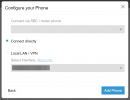
When I add the phone to the User record in the 3CX admin console, since there is no other router phone or SBC yet configured, I am forced to use the Local Phone option. After doing this, the IP Phone tab on the User record shows the T58W as a router phone (which is what I would expect). I have seen the UI on the phone saying "Config updating!" but it never succeeds.
In earlier threads I saw that the T58W was due to be enabled as a router phone (via a firmware update) in time for v20 final release. Did that happen? Should it now work as a router phone? If so, any suggestions as to where I'm going wrong would be very much appreciated.
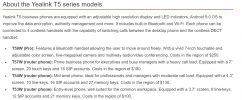
PS Fairly sure that my T58W isn't a "Pro" which may explain why it can't be configured as a router phone! As I understand it, the regular T58W has model number SIP-T58W (which is what mine shows) whereas the Pro version is SIP-T58W-Pro. Can anyone confirm this please?
When I add the phone to the User record in the 3CX admin console, since there is no other router phone or SBC yet configured, I am forced to use the Local Phone option. After doing this, the IP Phone tab on the User record shows the T58W as a router phone (which is what I would expect). I have seen the UI on the phone saying "Config updating!" but it never succeeds.
In earlier threads I saw that the T58W was due to be enabled as a router phone (via a firmware update) in time for v20 final release. Did that happen? Should it now work as a router phone? If so, any suggestions as to where I'm going wrong would be very much appreciated.
PS Fairly sure that my T58W isn't a "Pro" which may explain why it can't be configured as a router phone! As I understand it, the regular T58W has model number SIP-T58W (which is what mine shows) whereas the Pro version is SIP-T58W-Pro. Can anyone confirm this please?
Last edited: