- Joined
- Nov 17, 2021
- Messages
- 9
- Reaction score
- 2


Yes, a completely new phone.Have you factory defaulted the phone ?
Is the phone on the same network as 3cx server ?
OK, thanks!Hello,
Check the blacklist and ensure the phone has not been blacklisted (it will not appear in phones in this case).
Then, factory reset the phone and allow it to appear in bold in your phones section.
Assuming this is a LAN or SBC based installation, it should show up.
You can plug it into an existing cable of an already working phone, just to make sure you have a network connection. If you use VLANs or any other special network setup, that part is up to you to troubleshoot. The phone sends a multicast message on the network which needs to reach your SBC or PBX. If this fails, it will never show up.
PS: Ensure you have the correct firmware first from here
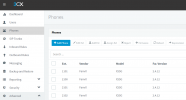
Very strange.The IP of the phone is 110.112.52.194, and server is 10.112.1.1, the subnet mask is 255.255.0.0.If the phones are a different vlan to the 3cx server pnp traffic does not normally pass thru vlans, so the phones will not appear in the console
https://www.3cx.com/docs/plug-and-play-ip-phone/
If the phones should be on the same vlan as 3cx, how are you configuring the vlan, ? Does the phone get the same IP address range as the 3cx server
I
But I haven't changed any settings recently, except for upgrading to V18, then it suddenly can't appear.IP address range 110.112.52.194 is not part of the network rfc 1918, , you should not be using this range for internal networks . You need to change the network setup to use rfc 1918 IP address ranges
https://www.dummies.com/programming/networking/private-ip-address-ranges-for-networks/
https://netbeez.net/blog/rfc1918/
3cx will only detect internal phones on the rfc 1918 address ranges
Dns changes will not affect vlan settings

Very strange.The IP of the phone is 110.112.52.194, and server is 10.112.1.1, the subnet mask is 255.255.0.0.
Maybe I need to find a suitable time to modify, and then test it.. Thanks for your advice.You said it yourself, this is very strange. And currently we know that your phone is outside of the RFC1918 address space so it is justified that a problem exists.
You need to find out how it ended up with such an IP, and make sure it is brought back to the correct range.
Maybe i need to try. Thank you for your help!There was a fixed where you modify the settings, that was not supported to allow non RFC118 networks.
As above you should change your network IP addresses range to conform to RFC118
Founded in 2005, when VoIP was an emerging technology, 3CX has gone on to establish itself as a global leader in business communications.