Can't Connect to Webclient

Status
Not open for further replies.

DaveSa

Customer
Joined
Apr 20, 2021
Messages
5
Reaction score
0
Everything was working peachy with our 3cx system. Then, last week, we had to replace our router, and now we are having problems.

Everything works with our phone system, EXCEPT, we are unable to connect to:

[COMPANYNAME].east.3cx.us:5001/webclient/#/people

When we try, we get this message: Disconnected. Waiting for network.

We ARE able to connect to the 3CX management console.

If we try from a computer outside our network, we have no issues. It is just our internal network. I've checked all ports and they seem to be fine. I just can't seem to figure out this problem.
 
Do you get the same issue if you try when using the PBX's local IP?

Such as: https://<PBX_LOCAL_IP>:5001/webclient
 
On the internal network does an nslookup of the fqdn resolve to an ip address.

If it does not resolve, I would guess you are missing a dns setting that points the 3cx fqdn to the internal ip address.
 
Do you get the same issue if you try when using the PBX's local IP?

Such as: https://<PBX_LOCAL_IP>:5001/webclient
I can access correctly using the local IP address
 
In that case, this might be related to the fact that when using the FQDN, you are resolving it to the public IP and therefore have the PC attempt to connect to the network's own public IP which may sometimes not be allowed or cause issues depending on your network/firewall configuration.

If you have a local DNS server for this network, you could add a DNS entry to have the PBX's FQDN resolve to the local IP, as Saqqara mentioned, instead.
 
On the internal network does an nslookup of the fqdn resolve to an ip address.

If it does not resolve, I would guess you are missing a dns setting that points the 3cx fqdn to the internal ip address.
When I run a NSLOOKUP from windows I get:

Server: [xxx].east.3cx.us
Address: Our EXTERNAL IP address

*** [xxx].east.3cx.us can't find nslookup: Non-existent domain
 
That is your issue, it should resolve to the internal IP address or configure the firewall to point the fqdn internally instead of trying to go out and back in via the firewall

What firewall are you using.
 
  • Like
Reactions: ChrisC_3CX
That is your issue, it should resolve to the internal IP address or configure the firewall to point the fqdn internally instead of trying to go out and back in via the firewall

What firewall are you using.

Honestly, we just use the router provided by our internet provider, which is Frontier . The router is model NVG468MQ
 
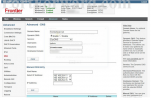
Try this, access the web front end of the router

Under DNS - add a manual dns entry

Hostname - 3cx fqdn
IP address - internal ip address of server

1628085828062.png
 
Thanks all. I'll give them all a shot.
 
Status
Not open for further replies.

Latest Posts

Forum statistics

Threads
111,982
Messages
590,117
Members
164,908
Latest member
FarizQasimov