Can't provision Polycom Phones

Status
Not open for further replies.

benkeezer

Joined
Apr 9, 2012
Messages
9
Reaction score
0
I am unable to provision Polycom IP 331 phones. I have 3cx v11 SP2 64-bit running in vmWare. I have followed the tutorials several times with no luck. DHCP Option 66 is set at http://10.10.64.20:5000/provisioning/ (I’ve also tried /management/provisioning/). Manual provisioning does not work.

Please don’t say switch to another vendor we have almost 500 Polycom phones that we would like to use when we switch to 3cx next summer. I had this working perfectly in v10 and I haven’t been able to get it working since I upgraded (I upgraded through a complete delete and re-install. No backup was used.)

Any ideas? Thanks

Ben
 
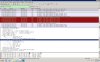
Can you see in wireshark does provisioning request are getting to 3cx? Are the polcycon phones on the same subnet as 3cx server
 
There is a problem with older Polycom handsets and 3cx V11 see link below for workaround.

https://www.888voip.com/forum/3cx/510-using-older-polycom-phones-polycom-ip-301-ip-401-501-ip-601-ip-4000-with-3cx.html
 
I had problems with getting some Polycoms to provision last week, it ended up being the the MAC address was case sensitive. I ended up deleting all the config files and changing the extension provisioning to blank. Then I entered the MAC (in all CAPS) into 3CX and then copied that exactly into the DHCP server. Worth a shot, hope it resolved this issue for you. It had me perplexed for a couple of days and found it by random luck.
 
mixig said:
Can you see in wireshark does provisioning request are getting to 3cx? Are the polcycon phones on the same subnet as 3cx server

I'm setting that up now. I doubt it since I get a message on the phone saying it cannot connect with the boot server. Thanks
 
bpsinc said:
I had problems with getting some Polycoms to provision last week, it ended up being the the MAC address was case sensitive. I ended up deleting all the config files and changing the extension provisioning to blank. Then I entered the MAC (in all CAPS) into 3CX and then copied that exactly into the DHCP server. Worth a shot, hope it resolved this issue for you. It had me perplexed for a couple of days and found it by random luck.

Tried it. Didn't work. Thanks anyway.
 
mixig said:
Can you see in wireshark does provisioning request are getting to 3cx? Are the polcycon phones on the same subnet as 3cx server

Here's the capture of the provisioning:


Yes, the phones are on the same subnet. Thanks
 

Attachments

  • polycom_provision.jpg
    polycom_provision.jpg
    453.6 KB · Views: 835
If you go to this path:

%allusersprofile%\3cx\data\http\interface\provisioning

do you have cfg files for your phones? If yes, can you delete one of the cfg file for one of the phones (each cfg will have mac address of the phone) and try provisioning again?
 
mixig said:
If you go to this path:

%allusersprofile%\3cx\data\http\interface\provisioning

do you have cfg files for your phones? If yes, can you delete one of the cfg file for one of the phones (each cfg will have mac address of the phone) and try provisioning again?

I tried that. I even tried 4 different Polycom phones. I opened a support ticket. Hopefully they can help. Thanks
 
I'm beginning to wonder if I am using the correct bootrom and SIP versions. These are the versions I am using:

UCS_3_3_1_release_sig_combined
spip_ssip_BootROM_4_3_0_release_sig

Can anyone confirm this? Thanks
 
Im currently running 4.0.2.11307 on v11 sp2 with no issues.
 
netswork said:
Im currently running 4.0.2.11307 on v11 sp2 with no issues.

Thanks. I have a ticket open with 3cx support but they are not helping much.
 
I would upgrade. Just download the firmware and the updater package and put them in your provisioning folder. Then with dhcp option 66 point it to http://serverip:5000/provisioning/

The phones will upgrade themselves and if there is a cfg file in there they should provision.

The format of the config files did change in this newer firmware and v11 sp2 supports the new firmware.
 
netswork said:
I would upgrade. Just download the firmware and the updater package and put them in your provisioning folder. Then with dhcp option 66 point it to http://serverip:5000/provisioning/

The phones will upgrade themselves and if there is a cfg file in there they should provision.

The format of the config files did change in this newer firmware and v11 sp2 supports the new firmware.

Billy,

If we ever meet I'm going to buy you a drink. I added the updater package and latest firmware and IT WORKED! Thanks for your help.

Ben
 
Awesome. Glad it worked for you. I haven't gotten the new config files 100% figured out yet. I am able to modify the line buttons, dial plan and distinctive ringers. I also found in the config file how to turn off missed call notifications, some of my customers find the missed calls annoying. If you need any help with any of that I can point you in the right direction.

The 550/650 support multicast paging on the phone. You can turn it on from the phone menu and you get a paging soft key. It works well but I have yet to figure out how to enable that feature from the provisioning file. Everything else I leave as is.
 
I also found that in the date settings dont enter it like 01/01/12 it has to be 1/1/12.

Had an install where I could not get the dang time to change after daylight savings changed, and it was because there was a 0 in front of the day/month.
 
Hello,

I believe I am having a similar problem, but cannot resolve it. I recently reformatted the file system of all of our Polycom 331 phones to update the company directory. The reformatting was successful on all of the phones except one. That particular phone has newer firmware, which I suspect is not supported by 3CX v.10. Accordingly, I receive an error message that reads "sip.ID is not compatible with the phone." and it then flashes to another screen that says "Error, application is not present!" In then proceeds to reboot. The phone is getting a valid IP address, but I cannot access the web interface

I was hoping that I could update the firmware with an older version of the firmware to see if that fixes the issue. However, I cannot locate that provisioning file where you say to place the new firmware and updater file. Can you tell me were this is located?

Any other suggestions for resolving this would also be much appreciated!

Thanks!
 
If that one phone is running new firmware and you want to downgrade it you have to place the downgrader in the provisioning folder. V10 does not support the newer firmware.
 
Thanks! Can you tell me the default location where I would place the downgrader and the older firmware?
 
You would put them in the root of the provisioning folder.

C:\ProgramData\3CX\Data\Http\Interface\provisioning

You need to be using dhcp option 66 to point the phones to this folder so the phone knows where to get the firmware.
 
Status
Not open for further replies.

Members Online Now

Forum statistics

Threads
111,843
Messages
589,327
Members
164,679
Latest member
SamadMYK