Solved Cloud-PBX App Provisioning (Internal DNS?)

Status
Not open for further replies.

SKDamon

Silver Partner
Advanced Certified
Joined
Aug 6, 2018
Messages
52
Reaction score
7
Hey,

I've set up a 3CX PBX on Azure and an SBC in my internal network. Firewall check on the Azure-Hosted 3CX runs without errors. For the SBC, there's a DNAT rule for Port 5090.

I've configured the 3CX App on my phone via QR code scanning, after I've set the "Network interface for registration and provisioning" to the external IP/FQDN, and left "Use 3CX Tunnel for remote connections (3CX Client only)" checked.

After provisioning I can make calls, but the app shows "Waiting for network" and "Login failed, servic..." after some time.

In the account settings, "local IP of PBX" and "external IP of PBX" are both set to the FQDN of my 3CX system.

When I manually change the "local IP" to the IP of my local SBC, everything works fine. Also, when I turn off WiFi to use LTE, everything works as expected.

Am I missing configuration for my local network? Does the 3CX client need DNS SRV-Records to discover the SBC? Or should the FQDN of the Cloud PBX be set to the SBC IP internally?
 
Hello,

Delete your account from the APP and configure all the setting you wish to have for this extension on the PBX - Then perform QR provisioning and check if your issue have been solved. If you still have the same issue please return to me to check further. Also, please provide APP, Android and PBX version.

Thank you
 
Hi Marios,

I have already exhausted all configuration options in between deleting and re-adding the account in the app.

configure all the setting you wish to have for this extension on the PBX

My problem is that the App can't connect to the presence service(?). Only when I manually change the "Internal IP" under account settings to point to the SBC, there are no errors.

Depending on which Network Interface I chose for provisioning, the "Internal IP" is either set to the system FQDN (resolving to the configured static IP in 3CX in my local net), or the Azure server's internal IP (10.0.0.5).

When I provision using the external interface (FQDN), see above for the results.
When I provision using the internal interface (10.0.0.5), I don't get "Login failed" or "Timeout" errors. In fact, the presence icon turns green, but the main screen still shows "Waiting for network".

Calls work with both methods, however the account picture + status information is only shown when using LTE or manually setting the "internal IP" in the app.

Android 8.0.0 (OP3)
App: 15.5.344.492
3CX: 15.5.15060.6

I still think the problem might by my internal network, or 3CX configuration. I followed this guide:
https://www.3cx.com/docs/3cx-tunnel-session-border-controller/

Just to confirm: There are no options on the PBX to register/configure SBCs, right?

Also, setting my internal DNS to point the FQDN to my SBC did not help, and manually de-activating the 3CX-Tunnel for the account in the app doesn't change anything when provisioning via external network interface (FQDN).
 
Hello,

I have exactly the same environment as you without any issues. Can you please check if you have any blacklist IPs?

Also, manually forcing the APP to listen to an SBC is not a good idea you might have some problems.

Thank you
 
The IP Blacklist in 3CX is empty.

Also, manually forcing the APP to listen to an SBC is not a good idea you might have some problems.

That's exactly what I'm trying to fix, clients should work with provisioned data, without manual config :)
Anything else I can check to debug this?

Thanks for your Help!
 
Hello,

Do you have any other client in your local network , for example, Windows or iOS 3CX clients? Or do you have this problem only on this specific android client?
 
Hello,

I've tested with a Windows client from the same network, and the behavior is identical to what I see on Android:

Provisioned data same as before (Internal+External PBX = FQDN)
No calls + No presence w/ default configuration
No calls + No presence w/ DNS spoofing FQDN = SBC IP (via hosts file)
Calls possible but no presence w/ FQDN = SBC IP +

Calls + Presence ("normal behavior") when I manually enter SBC IP in "Internal PBX" (and no DNS spoof).

During an active call using this configuration, there are no network connections to/from the Windows machine's IP visible on the SBC (output of "netstat -nalp64").

3CX Instance External IP: (Some IP on MS Azure)
3CX Instance Internal IP: 10.0.0.5
SBC Internal IP: 10.10.10.42

No SRV/other DNS records configured
No other 3CX services running in SBC's network
Only 3CX PBX running on Azure host
Firewall check on 3CX PBX passes 100% OK

SBC installed from latest debian image on a local Hyper-V VM
Tunnel encryption set enabled during SBC install

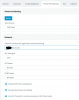
Extension settings in PBX:
3cxsbcprov.PNG

Again, can somebody confirm there is no configuration to be done in the 3CX PBX Instance (other than selecting the right provisioning interface) in order for the SBC to function correctly?
 
Do you have a local firewall ?
 
Yes, I had it set up for a local 3CX instance which worked fine. I didn't change the firewall before re-installing the 3CX Instance as a SBC, so ports are still forwarded and outgoing traffic is allowed.
 
Make sure that you have the appropriate ports open. For instance, if you are using port 5001 then you have to allow inbound TCP on port 5001 for Presence informations. Please follow this guide for more informations about remote clients : https://www.3cx.com/docs/manual/firewall-router-configuration/

If your problem is still persist then contact me again.

Thank you
 
Hello,

As I've written before, the Firewall Checker runs without problems. All Ports for the PBX Instance are configured correctly.

Also, my Grandstream GXP2140 gets provisioned correctly and uses the SBC as outbound proxy.
 
Firewall checker does not check for HTTP/HTTPS (5000/5001 or 80/443) ports. Do you have access to management console from a remote location using your FQDN?
 
The management interface is available on port 443 only (https://FQDN) from the remote location.

I'm wondering however, how would the 3CX client know that this particular network has a Session Border Controller running on it to tunnel/proxy connections to the cloud PBX?

Normal phones do have options in the provision settings in 3CX to select remote provisioning via SBC, and the SBC's internal IP must be specified there.

For 3CX clients, there are no options for SBC or remote provisioning. Is the client even compatible with SBCs? Does the client run a service discovery?
There's no information about remote SBCs in 3CX Client Provision data, so how would a client be able to use the SBC when it has no knowledge about it? Hence my assumption in the title about missing SRV DNS records...
 
I have sent you a P.M
 
My assumption was wrong, the 3CX Clients for Mobile can't be provisioned to use local SBCs, because they establish their own tunnel connections directly over the internet.

Thanks for your help Marios!
 
  • Like
Reactions: Marios Neophytou
Glad to see that your problem has been solved
Thank you
 
Status
Not open for further replies.

Members Online Now

No members online now.

Forum statistics

Threads
111,831
Messages
589,277
Members
164,660
Latest member
RJenkinsROCK