Solved contacts import

Status
Not open for further replies.

lhblhb

Forum User
Joined
Jan 9, 2023
Messages
9
Reaction score
0
Hi,

We have 3CX SMB Free 10 3cx cloud hosted

Can't see anywhere to import csv contacts in web interface or windows phone?

Am I missing somthing obvious please?
 
The SMB instances do not support company-wide phonebook contact features. However, you can add contacts to the personal phonebook section of the user's web client, allowing individual users to manage and access their contacts directly through their web clients.
 
Last edited:
  • Like
Reactions: Evolute IT
oh i see thanks, although i went into my personal contacts in webclient and could only see ability to add singly ....

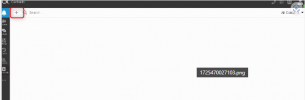
1725470027103.png1725470027103.png
 
You add contacts by pressing the + in the top left of the webclient.

1725470320997.png
 
thanks.... but only comes up with ability to enter one at a time, not import a csv file

this is limitation in smb version, I have several dozen contacts in a csv file?
 
You can import personal contacts, ensure that the drop-down on the right is chosen as Personal, and then the Upload button will appear.

1725471501447.png
 
perfect, thank you for your help :)
 
You are welcome.
 
Status
Not open for further replies.

Members Online Now

Forum statistics

Threads
111,832
Messages
589,286
Members
164,662
Latest member
DejanMDS