- Joined
- Nov 12, 2018
- Messages
- 379
- Reaction score
- 24
I wanted to create a custom hours for customer service group. If someone can tell me what is the best way of doing it.
Currently I have my global hour is set to
7:00 - 18:00
I setup a Digital Receptionist to take that call
When user press 0 or 2 for customer service I send them to a 804 csr dummy extenstion
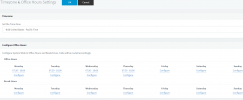
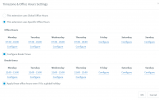
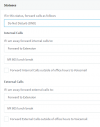
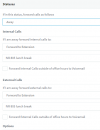
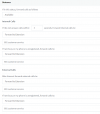
inside that dummy extension this is what I got.
please see attached.
under the auto Switch this is where I configure the break time to be 12:00-13:00. But during that time when someone called it still ring to them. Any ideas why this is not working? it still seeing it as avaiable and sending it to 801 customer service group.
I don't know if there is a better way of doing this. Please advise. any help be great!!
Currently I have my global hour is set to
7:00 - 18:00
I setup a Digital Receptionist to take that call
When user press 0 or 2 for customer service I send them to a 804 csr dummy extenstion
inside that dummy extension this is what I got.
please see attached.
under the auto Switch this is where I configure the break time to be 12:00-13:00. But during that time when someone called it still ring to them. Any ideas why this is not working? it still seeing it as avaiable and sending it to 801 customer service group.
I don't know if there is a better way of doing this. Please advise. any help be great!!