Custom Yealink XML App - Change Status/Park/Unpark/PickUp Call

Status
Not open for further replies.

JJ-3CX-TX

Customer
Joined
Sep 9, 2020
Messages
21
Reaction score
0
Is it possibe to customize the DSS Keys/Soft keys on Yealink phones to create an interactive UI to enable users to select the appropriate status, or park/unpark calls or pickup a call in their ring group?

If anybody knows of someone that can do this type of work I am happy to engage in a discussion.

We are piloting 3CX for a 400+ company pitching to displace Mitel + Mitel ECC (Enterprise Contact Center)

Any suggestions will be much appreciated.

Thank you
 
Thank you. i am already aware of the BLF tab in the management console but that is not what I am looking for. In that screen a button can only be used for just one setting. For example to set the status to Away I need one button and to set it Normal I need another.

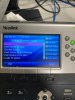
What I am hoping is to have a simple interactive app such as you press the DSS key, the LCD screen changes to 1. Available, 2. In a Meeting/Away, 3. Out of Office, 4. Custom1 and 5. Custom2 so the user can then press either the numeric key to select the option or use array keys for same.
 
Thank you. i am already aware of the BLF tab in the management console but that is not what I am looking for. In that screen a button can only be used for just one setting. For example to set the status to Away I need one button and to set it Normal I need another.

What I am hoping is to have a simple interactive app such as you press the DSS key, the LCD screen changes to 1. Available, 2. In a Meeting/Away, 3. Out of Office, 4. Custom1 and 5. Custom2 so the user can then press either the numeric key to select the option or use array keys for same.
No you can't. We have the Webclient for this.
 
fair enough. I agree web client is sufficient for this kind of tasks but some people are nit picky :)
 
k, so you will need to add a xml directory to your server or a webserver of some sort. I added mine to the 3cx server.


then in your custom config add the following for one of your buttons

#Configure Linekey1
linekey.1.line = 1
linekey.1.value = http://192.168.0.79:5000/xml/dndsta...on_first_name%%&lname=%%extension_last_name%%
linekey.1.pickup_value =
linekey.1.type = 27
linekey.1.xml_phonebook =
linekey.1.label = DND


the line key will change names based on the status given. Is this a perfect solution no... If a person doesn't use the button to change their status and just uses the shortcut code, the display can show the incorrect status.

This was setup for the T32/T38 but should work on other versions.

There is another option of using IFTTT and geolocation for changing the settings on the phone.IMG_1738.jpg
 

Attachments

  • Like
Reactions: Plains_JosephW
Status
Not open for further replies.

Latest Posts

Forum statistics

Threads
111,962
Messages
589,993
Members
164,867
Latest member
swegner