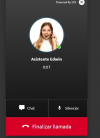
Anion Platinum Distributor Advanced Certified Joined Sep 1, 2023 Messages 13 Reaction score 5 Jan 21, 2026 #1 It is possible to customize the chat image for the AI-URLmeet agent.
Alphabetic 3CX MVP Silver Partner Advanced Certified Joined Jul 1, 2016 Messages 6,558 Reaction score 2,571 Jan 21, 2026 #2 You tried this? Reactions: pangel, Evolute IT, AbdullaR_3CX and 1 other person
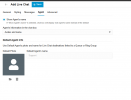
KyriacosS_3CX Staff member Joined May 8, 2025 Messages 2,175 Reaction score 1,675 Jan 21, 2026 #3 Hi @Anion , I assume you are talking about the AI Agents direct chat link https://pbx.url/[callus|meet]/#agentName . In this case, yes it can also be customised. Go to Integrations -> AI , click the three dots next to the Agent name and Impersonate them. Next in what will look like the normal users view, choose Settings -> General and just upload an image. Reactions: IrinaP_3CX
Hi @Anion , I assume you are talking about the AI Agents direct chat link https://pbx.url/[callus|meet]/#agentName . In this case, yes it can also be customised. Go to Integrations -> AI , click the three dots next to the Agent name and Impersonate them. Next in what will look like the normal users view, choose Settings -> General and just upload an image.