Solved Date and time issue

Status
Not open for further replies.

comfident

Bronze Partner
Joined
Oct 22, 2015
Messages
36
Reaction score
1
Hi,

All our phones (Yealink T4xG) have wrong date and time.

.) The 3CX host has the correct time
.) Yealink phones are using default templates and config shows correct time settings (pool.ntp.org)
.) Inside extensions the correct time zone is configured.
.) NTP to pool.ntp.org is working from 3CX host and phones can at least ping pool.ntp.org

Does anyone have some ideas why the phones does have the wrong date and time?
 
You say the phones can ping pool.ntp.org, but is udp port 123 open on the firewall to allow the phones to get the time,

Do you have a internal NTP server ?. If so what happens if you change Time_NTP_Server parameter to server IP address. (Settings - Parameter , search for time_ntp)
 
The 3CX Host is on the same subnet as the phones and the Host can successfully query time at pool.ntp.org.
So this should not be a firewall problem.
 
Hi :)

is your DHCP server set to give out a time server?
 
No.
The phones getting ntp setting from phone template and phone provisioning.
 
What is the date and time from an OS level of your 3cx?
 
The time zone from 3CX OS (Windows) is UTC+1 and can succesfully query time at pool.ntp.org
 
The time zone from 3CX OS (Windows) is UTC+1 and can succesfully query time at pool.ntp.org
I think @Saqqara pointed you in the correct direction, but you didn't realize it. The provisioning 3CX gives phones is NTP server pool.ntp.org.
Then the phones contact NTP directly, so even if the 3CX server can communicate with NTP, that doesn't necessarily mean the phones can too.
 
I did a trace on the firewall and see that the phones are communicating with external NTP server, but they getting a "Peer Clock Stratum: unspecified or invalid (0)".
The phones trying a few external NTP sources and then give up.

What could be the reason for "Peer Clock Stratum: unspecified or invalid (0)"?
 
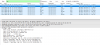
I think you are looking at the wrong packet, that is the phones NTP time request. Do you see a response?
Sample below, I had to blank out the IPs, but you can tell what is what form the source/destination ports:
upload_2018-9-28_17-58-18.png
 
  • Like
Reactions: nub
Outbound NAT on the firewall was misconfigured.
Strange was that ping from phone network diagnostic did work, that lead me in the wrong direction.

Thank you all for your tipps!
 
Glad to see the issue has been resolved and thank you for updating the thread with your solution
 
Status
Not open for further replies.

Forum statistics

Threads
111,898
Messages
589,614
Members
164,764
Latest member
billza209