Hello @DXC , hope you are doing well.
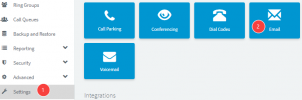
So when you modify the existing template, 3CX System actually creates a new custom template and use it as a main one, and what you need to do is remove it, so that the original will take over.
Basically you will need to go to the PBX parameters, in the parameters you will search for _CUSTOM and then make sure that you will see the correct template, and the one you have modified. Once you remove it and go back to the Email Templates, you will see that the original template is back to the default one.