- Joined
- Mar 27, 2020
- Messages
- 184
- Reaction score
- 52
Hi there!
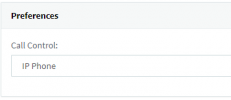
I am facing a very common problem. The softphone is by default on the "Softphone" mode. In cases where a user has a hardware IP Phone (from Yealink, Fanvil, or whatever) and a softphone on his computer, sometimes prefer to put the softphone into the "Deskphone (CTI)" mode for obvious reasons. The thing is that after a restart of the softphone application or the computer the mode returns into the "default" status, which is "Softphone".
Is there a way to change the default status into "Deskphone" or even better to configure the application on a way to "remember" the last setting?
I am looking forward for your quick and accurate answers.
With kind regards,
Angelos Pitsos
I am facing a very common problem. The softphone is by default on the "Softphone" mode. In cases where a user has a hardware IP Phone (from Yealink, Fanvil, or whatever) and a softphone on his computer, sometimes prefer to put the softphone into the "Deskphone (CTI)" mode for obvious reasons. The thing is that after a restart of the softphone application or the computer the mode returns into the "default" status, which is "Softphone".
Is there a way to change the default status into "Deskphone" or even better to configure the application on a way to "remember" the last setting?
I am looking forward for your quick and accurate answers.
With kind regards,
Angelos Pitsos