I don't know which version it is in, unfortunately I am an end user, I am trying to figure it out.It would be nice if you had said you were on V18. That is the "Admin Portal" on V18. You need to update to V20. Update and people can better help you out
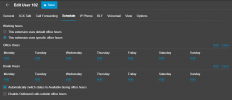
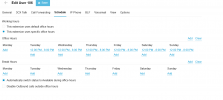
Hi, if you edit the user extension ---- go to the scheduled tab and there you can set the specific hours for that user
View attachment 48906

HiHi @Canbgiray, hope you are well!
If you configured these settings today for example, and completed your testing straight after, the extension has not gone past the end of day time so would not have set itself to do not disturb.
What you will find is at 8PM this evening the extension will switch to DND, and should you try your testing again in the morning before 12PM, the extension will not receive the call. This is on the assumption you have no exceptions listed for the extension.
Hope this helps!
Hi @Canbgiray,Hi
Yeah this work like this today ı checked thanks. But one more question for this it says voicemail is closed for this extansion. But i have a ooo message recorded .
I do not want voicemail. I want the out-of-hours announcement I specify to be played outside of all hours.Hi @Canbgiray,
Glad it worked this morning! Regarding the voicemail, I am assuming you have called a direct dial for a specific user extension, in which case you need to ensure voicemail is enabled for that extension: Admin > Users > Go into Extension > Voicemail > Enable Voicemail box to be ticked.
You'll also need to ensure you have selected your "Email Options" choice too, depending on your preferences.![]()
Hi Canbgiray, it sounds like you could be routing the number to an extension if you are receiving a voicemail prompt.I do not want voicemail. I want the out-of-hours announcement I specify to be played outside of all hours.
Founded in 2005, when VoIP was an emerging technology, 3CX has gone on to establish itself as a global leader in business communications.