Demo key for enabling Exchange and Digital Attendent

Status
Not open for further replies.

jatinmann

Joined
Apr 29, 2012
Messages
6
Reaction score
0
I was wondering how to enable and test the features of 3cx for exchange .. any suggestions...
 
Have you tried, after applying the Demo key? That should unlock all features but restrict concurrent calls to two.
 
Thats what i am trying to get, i never recived any mail from 3cx for demo key
 
Just fill in the information again and submit. You don't have to download 3CX a second time. You should then receive a "welcome" email.
 
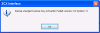
when i am submitting information this error coming ...
activation failed licence 61: 0 system
 
Are you connected to the internet when applying the Demo key?
 
leejor said:
Are you connected to the internet when applying the licence?

Yes i am
 
The only thing I can think is that the PC is not able to contact 3CX when you apply the Key.
 
I checked everything on that machine .. internet working fine... What could be the reason that 3cx not able to connect to internet.

Is thr any other way of importing licence in it.
 
Here is the error message attached
 

Attachments

  • 3cx error1.png
    3cx error1.png
    6.6 KB · Views: 1,215
Status
Not open for further replies.

Members Online Now

Forum statistics

Threads
111,852
Messages
589,385
Members
164,690
Latest member
rick.yamamoto