- Joined
- May 18, 2023
- Messages
- 19
- Reaction score
- 4
Hello,
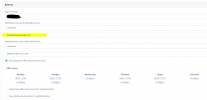
Need a sanity check, please. We need a number routed based on schedule. Am to one IVR, PM to another. No matter what I do It all seems to be reliant on the below “Destination outside office hours”. IT’s almost like the system is stuck in after-hours mode. I didn’t set this up from scratch but inherited this system.
It’s the main trunk number but only changes when I change the "Outside office hours" route. I have also enabled/disabled the global schedule a few times in the testing.
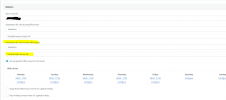
Inbound route for number in Question as I have been trying everything.. The below is no longer setup, as the above snip. I even tried changing the Main trunk number, restarting and testing to no avail.
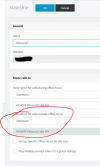
I’ve tried tying the number to an extension and setting up exceptions.
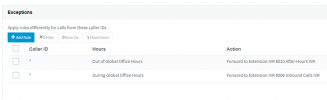
What am I missing, here if anything?
Need a sanity check, please. We need a number routed based on schedule. Am to one IVR, PM to another. No matter what I do It all seems to be reliant on the below “Destination outside office hours”. IT’s almost like the system is stuck in after-hours mode. I didn’t set this up from scratch but inherited this system.
It’s the main trunk number but only changes when I change the "Outside office hours" route. I have also enabled/disabled the global schedule a few times in the testing.
Inbound route for number in Question as I have been trying everything.. The below is no longer setup, as the above snip. I even tried changing the Main trunk number, restarting and testing to no avail.
I’ve tried tying the number to an extension and setting up exceptions.
What am I missing, here if anything?