- Joined
- Nov 8, 2010
- Messages
- 101
- Reaction score
- 28
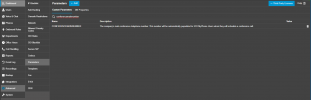
I went to System -> Conferencing -> Assigned DID Numbers and selected an available DID from the list. I hit Save.
Then I went to Meet and created an audio conference and invited myself using one of many available email aliases.
The email still came ONLY with the "Dial 7000" instructions.
I see that the template has coding that "if external number exists, insert it here," but it's not doing that.
What do?
(Yes, I've removed the DID, hit Save, and added it again and hit Save again. No change.)
Then I went to Meet and created an audio conference and invited myself using one of many available email aliases.
The email still came ONLY with the "Dial 7000" instructions.
I see that the template has coding that "if external number exists, insert it here," but it's not doing that.
What do?
(Yes, I've removed the DID, hit Save, and added it again and hit Save again. No change.)