Solved Error upon SBC connection on remote side.

Status
Not open for further replies.

VUSALDADASHOV

Gold Partner
Basic Certified
Joined
Dec 30, 2021
Messages
68
Reaction score
15
Hello
I'm trying to add SBC on a remote site, which is connected to main office via IPSEC VPN tunnel

  1. 3CX on debian v.18
    1. has custom FQDN
    2. has valid SSL certificate
    3. IP: 192.168.24.253
    4. Works well, no problem
    5. Has SBC trunk and SIP-Trunks page
  2. SBC on debian
    1. just donwloaded
    2. on debian
    3. IP: 172.16.214.253
  3. NEtwork
    1. both hosts can ping each other).
    2. A rule set to any> any > allow
    3. I can see firewall logs for a connection attempt on both firewlls (local and remote)

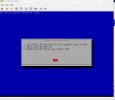
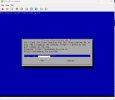
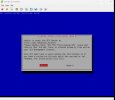
But I still get an error.

sbc_info.jpg


provisioning_url.jpg
error.jpg


3CX is latest version, and as I just downloaded SBC is also latest version. This should not be hard. It is quite easy to add SBC...
What can be an issue?
 
Please check that the HTTPS port is open publicly in the firewall where the pbx is installed, and also since you are using your own fqdn check that ssl certificates were generated by a trusted CA including the intermediary certificates and that also is supported by the endpoints (OS, Browser, IP phones).
 
It is opened publiciti but within our country
You cant telnet to 5001, but if you anywhere in out country, you'd be able.
Can bit be an issue?
 
And yes, I have valid SSL (LetsEncrypt)
 
Firstly, ensure that nothing else is installed on your Linux machine using port 5060 and installing using the 3CX SBC with the 3cx ISO.

Then check that the TCP port 5001 is open and forward to the internal IP of your 3CX machine from the firewall in front of your network where the 3CX machine is located.

Since you are using your own custom certificate, FQDN also ensures that the certificate is configured with the intermediate and root certificates for the CA that the certificate was purchased.

Lastly and since this requires provisioning with a custom certificate, you must also ensure that the Debian machine trusts the root or intermediate certificates from your certificate CA.
 
  • Like
Reactions: Alejandro_3CX
  • Firstly, ensure that nothing else is installed on your Linux machine using port 5060 and installing using the 3CX SBC with the 3cx ISO. - It Is fresh install using ISO on a VM
  • Then check that the TCP port 5001 is open and forward to the internal IP of your 3CX machine from the firewall in front of your network where the 3CX machine is located. - as I mention I can telnet too 5001 from a remote side
  • Since you are using your own custom certificate, FQDN also ensures that the certificate is configured with the intermediate and root certificates for the CA that the certificate was purchased. - I have LetsEncrypt Certificate
  • Lastly and since this requires provisioning with a custom certificate, you must also ensure that the Debian machine trusts the root or intermediate certificates from your certificate CA. - nice idea. But it is LetsEncrypt
 
Please note talent is not the same as HTTPS. Telnet uses port 23 where, where your TCP port is 5001. So double-check that the TCP port 5001 is open, as access is unavailable from where we are testing.

Try the following command in an ssh terminal into the SBC.

Code:
wget https://FQDN:Port

What is the output? Do you get a successful connection?

Regarding the certificate

Navigate to your 3cx systems FQDN and port within your Chrome browser, check-in a browser/lock icon / which the authorities in question.

Connect in SSH on SBC, cd into the folder

Code:
cd /usr/share/ca-certificates/mozilla

And see if the authorities in question are present.

Code:
ls /usr/share/ca-certificates/mozilla
 
  • Like
Reactions: OlegR_3CX
  • Since you are using your own custom certificate, FQDN also ensures that the certificate is configured with the intermediate and root certificates for the CA that the certificate was purchased. - I have LetsEncrypt Certificate
  • Lastly and since this requires provisioning with a custom certificate, you must also ensure that the Debian machine trusts the root or intermediate certificates from your certificate CA. - nice idea. But it is LetsEncrypt
Lets Encrypt is not a magic answer to this.

Use this tool to check if the cert is properly presenting all intermediate certs
https://www.sslshopper.com/ssl-checker.html
 
I thought Let'sEncyprt never let me down :)

Code:
root@pbx:~# wget https://pbx.b2bgroup.az:5001
--2023-07-13 16:24:12--  https://pbx.b2bgroup.az:5001/
Resolving pbx.b2bgroup.az (pbx.b2bgroup.az)... 192.168.24.253
Connecting to pbx.b2bgroup.az (pbx.b2bgroup.az)|192.168.24.253|:5001... connected.
ERROR: The certificate of ‘pbx.b2bgroup.az’ is not trusted.
ERROR: The certificate of ‘pbx.b2bgroup.az’ doesn't have a known issuer.


Code:
root@pbx:~# cd /usr/share/ca-certificates/mozilla
root@pbx:/usr/share/ca-certificates/mozilla# ls /usr/share/ca-certificates/mozilla
 ACCVRAIZ1.crt
 AC_RAIZ_FNMT-RCM.crt
 Actalis_Authentication_Root_CA.crt
 AffirmTrust_Commercial.crt
 AffirmTrust_Networking.crt
 AffirmTrust_Premium.crt
 AffirmTrust_Premium_ECC.crt
 Amazon_Root_CA_1.crt
 Amazon_Root_CA_2.crt
 Amazon_Root_CA_3.crt
 Amazon_Root_CA_4.crt
 Atos_TrustedRoot_2011.crt
 Autoridad_de_Certificacion_Firmaprofesional_CIF_A62634068.crt
 Baltimore_CyberTrust_Root.crt
 Buypass_Class_2_Root_CA.crt
 Buypass_Class_3_Root_CA.crt
 CA_Disig_Root_R2.crt
 Certigna.crt
 Certigna_Root_CA.crt
 certSIGN_ROOT_CA.crt
 Certum_Trusted_Network_CA_2.crt
 Certum_Trusted_Network_CA.crt
 CFCA_EV_ROOT.crt
 Chambers_of_Commerce_Root_-_2008.crt
 Comodo_AAA_Services_root.crt
 COMODO_Certification_Authority.crt
 COMODO_ECC_Certification_Authority.crt
 COMODO_RSA_Certification_Authority.crt
 Cybertrust_Global_Root.crt
 DigiCert_Assured_ID_Root_CA.crt
 DigiCert_Assured_ID_Root_G2.crt
 DigiCert_Assured_ID_Root_G3.crt
 DigiCert_Global_Root_CA.crt
 DigiCert_Global_Root_G2.crt
 DigiCert_Global_Root_G3.crt
 DigiCert_High_Assurance_EV_Root_CA.crt
 DigiCert_Trusted_Root_G4.crt
 DST_Root_CA_X3.crt
 D-TRUST_Root_Class_3_CA_2_2009.crt
 D-TRUST_Root_Class_3_CA_2_EV_2009.crt
 EC-ACC.crt
 EE_Certification_Centre_Root_CA.crt
 emSign_ECC_Root_CA_-_C3.crt
 emSign_ECC_Root_CA_-_G3.crt
 emSign_Root_CA_-_C1.crt
 emSign_Root_CA_-_G1.crt
 Entrust.net_Premium_2048_Secure_Server_CA.crt
 Entrust_Root_Certification_Authority.crt
 Entrust_Root_Certification_Authority_-_EC1.crt
 Entrust_Root_Certification_Authority_-_G2.crt
 Entrust_Root_Certification_Authority_-_G4.crt
 ePKI_Root_Certification_Authority.crt
 E-Tugra_Certification_Authority.crt
 GDCA_TrustAUTH_R5_ROOT.crt
 GeoTrust_Global_CA.crt
 GeoTrust_Primary_Certification_Authority.crt
 GeoTrust_Primary_Certification_Authority_-_G2.crt
 GeoTrust_Primary_Certification_Authority_-_G3.crt
 GeoTrust_Universal_CA_2.crt
 GeoTrust_Universal_CA.crt
 Global_Chambersign_Root_-_2008.crt
 GlobalSign_ECC_Root_CA_-_R4.crt
 GlobalSign_ECC_Root_CA_-_R5.crt
 GlobalSign_Root_CA.crt
 GlobalSign_Root_CA_-_R2.crt
 GlobalSign_Root_CA_-_R3.crt
 GlobalSign_Root_CA_-_R6.crt
 Go_Daddy_Class_2_CA.crt
 Go_Daddy_Root_Certificate_Authority_-_G2.crt
 GTS_Root_R1.crt
 GTS_Root_R2.crt
 GTS_Root_R3.crt
 GTS_Root_R4.crt
 Hellenic_Academic_and_Research_Institutions_ECC_RootCA_2015.crt
 Hellenic_Academic_and_Research_Institutions_RootCA_2011.crt
 Hellenic_Academic_and_Research_Institutions_RootCA_2015.crt
 Hongkong_Post_Root_CA_1.crt
 Hongkong_Post_Root_CA_3.crt
 IdenTrust_Commercial_Root_CA_1.crt
 IdenTrust_Public_Sector_Root_CA_1.crt
 ISRG_Root_X1.crt
 Izenpe.com.crt
 LuxTrust_Global_Root_2.crt
 Microsec_e-Szigno_Root_CA_2009.crt
'NetLock_Arany_=Class_Gold=_Főtanúsítvány.crt'
 Network_Solutions_Certificate_Authority.crt
 OISTE_WISeKey_Global_Root_GA_CA.crt
 OISTE_WISeKey_Global_Root_GB_CA.crt
 OISTE_WISeKey_Global_Root_GC_CA.crt
 QuoVadis_Root_CA_1_G3.crt
 QuoVadis_Root_CA_2.crt
 QuoVadis_Root_CA_2_G3.crt
 QuoVadis_Root_CA_3.crt
 QuoVadis_Root_CA_3_G3.crt
 QuoVadis_Root_CA.crt
 Secure_Global_CA.crt
 SecureSign_RootCA11.crt
 SecureTrust_CA.crt
 Security_Communication_RootCA2.crt
 Security_Communication_Root_CA.crt
 Sonera_Class_2_Root_CA.crt
 SSL.com_EV_Root_Certification_Authority_ECC.crt
 SSL.com_EV_Root_Certification_Authority_RSA_R2.crt
 SSL.com_Root_Certification_Authority_ECC.crt
 SSL.com_Root_Certification_Authority_RSA.crt
 Staat_der_Nederlanden_EV_Root_CA.crt
 Staat_der_Nederlanden_Root_CA_-_G2.crt
 Staat_der_Nederlanden_Root_CA_-_G3.crt
 Starfield_Class_2_CA.crt
 Starfield_Root_Certificate_Authority_-_G2.crt
 Starfield_Services_Root_Certificate_Authority_-_G2.crt
 SwissSign_Gold_CA_-_G2.crt
 SwissSign_Silver_CA_-_G2.crt
 SZAFIR_ROOT_CA2.crt
 Taiwan_GRCA.crt
 TeliaSonera_Root_CA_v1.crt
 thawte_Primary_Root_CA.crt
 thawte_Primary_Root_CA_-_G2.crt
 thawte_Primary_Root_CA_-_G3.crt
 TrustCor_ECA-1.crt
 TrustCor_RootCert_CA-1.crt
 TrustCor_RootCert_CA-2.crt
 Trustis_FPS_Root_CA.crt
 T-TeleSec_GlobalRoot_Class_2.crt
 T-TeleSec_GlobalRoot_Class_3.crt
 TUBITAK_Kamu_SM_SSL_Kok_Sertifikasi_-_Surum_1.crt
 TWCA_Global_Root_CA.crt
 TWCA_Root_Certification_Authority.crt
 UCA_Extended_Validation_Root.crt
 UCA_Global_G2_Root.crt
 USERTrust_ECC_Certification_Authority.crt
 USERTrust_RSA_Certification_Authority.crt
 Verisign_Class_3_Public_Primary_Certification_Authority_-_G3.crt
 VeriSign_Class_3_Public_Primary_Certification_Authority_-_G4.crt
 VeriSign_Class_3_Public_Primary_Certification_Authority_-_G5.crt
 VeriSign_Universal_Root_Certification_Authority.crt
 XRamp_Global_CA_Root.crt
root@pbx:/usr/share/ca-certificates/mozilla#
 
Its almost always an intermediate certificate issue in these instances
 
The site SweetAction mentioned, or similar like https://www.ssllabs.com/ssltest/, will identify which cert is missing in the chain.

It can be hard to find in a browser, because if the browser previously downloaded the intermediate cert, it won't be missing on that browser thus the cert will appear valid. If it's a common intermediate cert then it will appear valid on most browsers.
 
Ok guys
I will try to find. But I have a small problem'

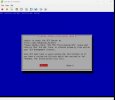
While my debian consoler has this view

error.jpg


.. i try to ssh into debian. I get password promp, but my password I specified at installation process not working. I can login via ssh with tat password only after aborting installation, which leads to server reboot

So I have 2 questions.
What password should I use (might be stupid question)
Is here any way to resume aborted installation
 
ok. Thanks close this topic
 
I have just fixed it. by adding as you said above, by adding intermidiate crt.
I combined file
Thanks you y'all
 
Status
Not open for further replies.

Forum statistics

Threads
111,974
Messages
590,081
Members
164,899
Latest member
mazet