Extension behind a VPN

Status
Not open for further replies.
I take it you are using a DD-WRT router at each end. it works OK if just the remote one is restarted?

When the VPN stops, and you have to re-start, does that not mean a reboot of one of the routers?

Are you using the latest DD-WRT version (non beta)?

Under Applications and Gaming/UPnP, do you have it set to clear all port forwards at startup? Or tried toggling that?
 
Leejor,

leejor said:
I take it you are using a DD-WRT router at each end. it works OK if just the remote one is restarted?

DD-WRT is only present in the client side.

At the other side I have Windows 2003 as a PPTP Server.


leejor said:
When the VPN stops, and you have to re-start, does that not mean a reboot of one of the routers?

No.

I remote SSH the router and do this command lines:

root@DD-WRT:/tmp/pptpd_client# sh vpn stop
Killing VPN PID 5356
Killing PPTP PID
VPN Stopped
and
root@DD-WRT:/tmp/pptpd_client# sh vpn start
Waiting.......
PID file created
Attempting initial connect

leejor said:
Are you using the latest DD-WRT version (non beta)?

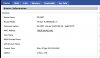
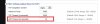
Yes. The latest I find in the DD-WRT site:


leejor said:
Under Applications and Gaming/UPnP, do you have it set to clear all port forwards at startup? Or tried toggling that?

I haven't. But If i reboot all router it work's, so i think maybe there is I need to do by comand line (after sh vpn stop).

But how?

Thank you.
 

Attachments

  • routerinf.jpg
    routerinf.jpg
    33.5 KB · Views: 1,663
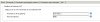
  • conexoesdeentrada.jpg
    conexoesdeentrada.jpg
    11.4 KB · Views: 1,663
I don't use the DD-WRT router as a VPN client, nor do I use command lines with mine, so i can't help you with that. I would suggest the DD-WRT forums might be a better source of information with regards to resetting/restating your router. Someone there may be able to suggest why it requires a restart and perhaps changes you can make that will prevent that from being required so frequently.
 
Hi.

I make this topic, if someone can help...

http://serverfault.com/questions/265082/dd-wrt-pptp-vpn-problem

I think when I solve it I can solve the other question...

Thank You.
 
Hi guys!

I have fixed the route problem and now i have a site-to-site VPN. I can ping and transfer data from both sides :)

See answer: http://www.dd-wrt.com/phpBB2/viewtopic.php?p=610250#610250

This is the good news.

Now the bad news.

I had thought if fix route problem the ATA will register correctly, but no.

Step by Step:

1 - Simulate a DD-WRT Reboot (and ofcourse VPN conection disconnect);

2 - Make a call to PSTN line (after VPN connect again ofcouse):


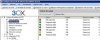
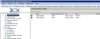
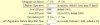
Look image below, the light is still green. Why? Why 3CX don't find the HT 488?


And 3CX Log:

22:36:23.625 [CM503008]: Call(91): Call is terminated
22:36:07.796 Currently active calls - 1: [91]
22:36:00.484 [CM503025]: Call(91): Calling PSTNline:10314@(Ln.10001@HT488)@[Dev:sip:[email protected]:35888;user=phone]
22:36:00.453 [CM503004]: Call(91): Route 1: PSTNline:10314@(Ln.10001@HT488)@[Dev:sip:[email protected]:35888;user=phone]
22:36:00.453 [CM503010]: Making route(s) to <sip:[email protected];user=phone>
22:36:00.453 [CM505001]: Ext.108: Device info: Device Not Identified: User Agent not matched; Capabilities:[reinvite, replaces, able-no-sdp, recvonly] UserAgent: [Grandstream HT487 1.1.0.45 DevId 000b82091fd3] PBX contact: [sip:[email protected]:5060]
22:36:00.421 [CM503001]: Call(91): Incoming call from Ext.108 to <sip:[email protected];user=phone>

3 - Reboot HT 488 ATA device

Now if i make some call 3CX find the ATA but there is no audio.

3CX log:

22:37:51.718 [CM503008]: Call(92): Call is terminated
22:37:45.437 [CM503007]: Call(92): Device joined: sip:[email protected]:5063;user=phone
22:37:45.421 [CM503007]: Call(92): Device joined: sip:[email protected]:5060;user=phone
22:37:45.421 [CM505002]: Gateway:[HT488] Device info: Device Not Identified: User Agent not matched; Capabilities:[reinvite, replaces, able-no-sdp, recvonly] UserAgent: [Grandstream HT488 1.0.3.96 FXO] PBX contact: [sip:[email protected]:5060]
22:37:45.421 [CM503002]: Call(92): Alerting sip:[email protected]:5063;user=phone
22:37:45.156 [CM503025]: Call(92): Calling PSTNline:10314@(Ln.10001@HT488)@[Dev:sip:[email protected]:5063;user=phone]
22:37:45.125 [CM503004]: Call(92): Route 1: PSTNline:10314@(Ln.10001@HT488)@[Dev:sip:[email protected]:5063;user=phone]
22:37:45.125 [CM503010]: Making route(s) to <sip:[email protected];user=phone>
22:37:45.109 [CM505001]: Ext.108: Device info: Device Not Identified: User Agent not matched; Capabilities:[reinvite, replaces, able-no-sdp, recvonly] UserAgent: [Grandstream HT487 1.1.0.45 DevId 000b82091fd3] PBX contact: [sip:[email protected]:5060]
22:37:45.093 [CM503001]: Call(92): Incoming call from Ext.108 to <sip:[email protected];user=phone>

4 - Change FXO SIP Port And reboot ATA

Everything works fine.

...................................................................

Everytime I reboot the DD-WRT router i will need to change SIP port?

I think now is a 3CX or ATA problem, no DD-WRT.

Any idea?
 

Attachments

  • callingpstn.jpg
    callingpstn.jpg
    32.8 KB · Views: 1,597
  • callingpstn2.jpg
    callingpstn2.jpg
    20.8 KB · Views: 1,597
Just another info.

This problem occur only for outgoing calls.

Incoming calls from HT 488 working fine even if reboot DD-WRT.

Thank You.
 
Just another part of call log:

12:27:31.687 [CM503020]: Normal call termination. Reason: No answer
12:27:31.687 [CM503016]: Call(4): Attempt to reach <sip:[email protected]> failed. Reason: No Answer
12:27:31.687 [CM503003]: Call(4): Call to sip:[email protected]:5063 has failed; Cause: 408 Request Timeout; internal

Thank You.
 
Hi guys.

Talking with myself but that's ok.

I think i have found some important info.

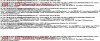
Look the Syslog of HT 488:


How you can see the ATA change the port of registration after DD-WRT reboot. Why?

And at 3CX log:

Before restart:

20:26:17.625 [CM503008]: Call(88): Call is terminated
20:25:48.046 Currently active calls - 1: [88]
20:25:41.921 [CM503007]: Call(88): Device joined: sip:[email protected]:5063;user=phone
20:25:41.921 [CM503007]: Call(88): Device joined: sip:[email protected]:16036
20:25:41.906 [CM505002]: Gateway:[HT488] Device info: Device Not Identified: User Agent not matched; Capabilities:[reinvite, replaces, able-no-sdp, recvonly] UserAgent: [Grandstream HT488 1.0.3.96 FXO] PBX contact: [sip:[email protected]:5060]
20:25:41.906 [CM503002]: Call(88): Alerting sip:[email protected]:5063;user=phone
20:25:41.656 [CM503025]: Call(88): Calling PSTNline:10314@(Ln.10001@HT488)@[Dev:sip:[email protected]:5063;user=phone]
20:25:41.625 [CM503004]: Call(88): Route 1: PSTNline:10314@(Ln.10001@HT488)@[Dev:sip:[email protected]:5063;user=phone]
20:25:41.609 [CM503010]: Making route(s) to <sip:[email protected]>

And after restart:

20:31:34.687 [CM503020]: Normal call termination. Reason: No answer
20:31:34.687 [CM503016]: Call(89): Attempt to reach <sip:[email protected]> failed. Reason: No Answer
20:31:34.687 [CM503003]: Call(89): Call to sip:[email protected]:5063 has failed; Cause: 408 Request Timeout; internal
20:31:30.234 Currently active calls - 1: [89]
20:31:02.609 [CM503025]: Call(89): Calling PSTNline:10314@(Ln.10001@HT488)@[Dev:sip:[email protected]:25914;user=phone]
20:31:02.578 [CM503004]: Call(89): Route 1: PSTNline:10314@(Ln.10001@HT488)@[Dev:sip:[email protected]:25914;user=phone]
20:31:02.578 [CM503010]: Making route(s) to <sip:[email protected]>
 

Attachments

  • agoravai.jpg
    agoravai.jpg
    235.1 KB · Views: 1,736
Guys,

a STUN Server can be useful to this?

IF yes, can i install a local STUN Server?
 
There would be no point in having a local STUN server. Whichever STUN server you use has to be "somewhere else" on the net (on the other side of your router). Your device will perform a series of tests to determine what type of NAT (your router) it is behind, Since you are trying to do this over VPN, you should have no need for STUN as you should essentially be on the same network as the 3CX server.
 
Thank You leejor.

I have made some progress :D

First, I have search a lot on Google and find a lot of people with the same problem.

Tomato will recover and start to again use the WAN IP address as the source IP of the registration SIP messages if the “unreplied UDP timeout” in the conntrack/Netfilter menu is less than the interval at which the SIP devices attempts to re-register or send NAT keep-alive messages to a particular service provider. Once a service provider has been registered with successfully, the “assured UDP timeout” value is used to keep the UDP return path from the service provider mapped to the LAN side UDP source. Recommended setting for “unreplied timeout” is 10 seconds. Recommended setting for “assured timeout” is 300 seconds.

From http://www.broadbandreports.com/forum/r23423987-Equipment-Tomato-with-VOIP-warning

Like i`m using DD-WRT i do this:


...and

Don't forget to add this to the "WANUP" script in Tomato. This is necessary due to a bug in Tomato code that causes LAN IP addresses being sent to the WAN if a keep alive or SIP registration is sent before the “unreplied UDP timeout” value times out following router powerup or reset. This script allows the unreplied UDP timeout timer to time out. Once the timer times out, subsequent registrations or keep alives use the correct IP address on the WAN.

led white on
ifconfig vlan0
down sleep 30
ifconfig vlan0 up
led white off

From http://www.broadbandreports.com/forum/r23972238-Re-Tomato-voip-recommended-settings

But like i'm using DD-WRT i have to change vlan0 to br0 .

After do change above FXS port (with static sip port 5062) works fine after reboot router!!! :D :O :shock:

The problem is now only FXO port (with static sip port 5061), this por don't register yet and if i make some call using this pstn line there is no audio (maybe because it don't register like i say):

21:51:46.906 [MS105000] C:21.2: No RTP packets were received:remoteAddr=192.168.1.2:5008,extAddr=0.0.0.0:0,localAddr=10.0.1.1:7146
21:51:14.453 [CM503008]: Call(21): Call is terminated
21:51:04.484 [CM503007]: Call(21): Device joined: sip:[email protected]:5061;user=phone
21:51:04.468 [CM503007]: Call(21): Device joined: sip:[email protected]:49024
21:51:04.468 [CM505002]: Gateway:[HT488] Device info: Device Not Identified: User Agent not matched; Capabilities:[reinvite, replaces, able-no-sdp, recvonly] UserAgent: [Grandstream HT488 1.0.3.96 FXO] PBX contact: [sip:[email protected]:5060]
21:51:04.203 [CM503025]: Call(21): Calling PSTNline:10314@(Ln.10001@HT488)@[Dev:sip:[email protected]:5061;user=phone]
21:51:04.156 [CM503004]: Call(21): Route 1: PSTNline:10314@(Ln.10001@HT488)@[Dev:sip:[email protected]:5061;user=phone]
21:51:04.140 [CM503001]: Call(21): Incoming call from Ext.101 to <sip:[email protected]>

Any idea about FXO?

Thank You
 

Attachments

  • udptime.jpg
    udptime.jpg
    28.2 KB · Views: 1,717
Well,

i read my last reply now and I have written the error.

If ATA IP is 192.168.2.2, why 3CX expecting RTP packets from 192.168.1.2?

192.168.1.2 is WAN of DD-WRT.

Any idea?
 
As I said, I've never used two DD-WRT routers in a server/client setup. What you need to look at is, what IP does the FXO device have, and is it registering (with 3CX) with the same IP. If not, why, and can an option be changed, within the device, to make it do so.

I assume that you have the correct IP/port datafilled, for the FXO, in 3CX
 
Good Morning leejor,

What you need to look at is, what IP does the FXO device have, and is it registering (with 3CX) with the same IP. If not, why, and can an option be changed, within the device, to make it do so.

Like i say FXO device ip is 192.168.2.2 (FXS too, GrandStrem HT 488 has 2 ports). But, like i say it is not registering. What option I can change?

I assume that you have the correct IP/port datafilled, for the FXO, in 3CX

Yes, i have.


Thank You.
 

Attachments

  • Sem título.jpg
    Sem título.jpg
    28.4 KB · Views: 1,705
tobiastromm said:
Like i say FXO device ip is 192.168.2.2 (FXS too, GrandStrem HT 488 has 2 ports). But, like i say it is not registering. What option I can change?
What IP is shown in the 3CX logs when the 488 registers?

You need to figure out why it's not registering. Go over the 3CX logs, if 3CX is expecting packets from a different IP then there must be a reason , it has to be told by the device how to reach it. Even though you put a Gateway IP in 3CX (and I still haven't figured out why that is necessary as when it isn't when using an ATA), it need to register.
 
Leejor,

FXS port register:

10:33:26.171 [CM504001]: Ext.109: new contact is registered. Contact(s): [sip:[email protected]:5062;user=phone/109]

FXO register attempt do not appear. Just appear when i make a call:

10:28:23.921 [CM503008]: Call(35): Call is terminated
10:28:20.484 [CM503007]: Call(35): Device joined: sip:[email protected]:5065;user=phone
10:28:20.484 [CM503007]: Call(35): Device joined: sip:[email protected]:49024
10:28:20.468 [CM505002]: Gateway:[HT488] Device info: Device Not Identified: User Agent not matched; Capabilities:[reinvite, replaces, able-no-sdp, recvonly] UserAgent: [Grandstream HT488 1.0.3.96 FXO] PBX contact: [sip:[email protected]:5060]
10:28:20.203 [CM503025]: Call(35): Calling PSTNline:10314@(Ln.10001@HT488)@[Dev:sip:[email protected]:5065;user=phone]
10:28:20.171 [CM503004]: Call(35): Route 1: PSTNline:10314@(Ln.10001@HT488)@[Dev:sip:[email protected]:5065;user=phone]
10:28:20.156 [CM503001]: Call(35): Incoming call from Ext.101 to <sip:[email protected]>

and look this (http://www.dd-wrt.com/phpBB2/viewtopic.php?t=139195):

root@DD-WRT:~# grep 10.0.1.1 /proc/net/ip_conntrack
udp 17 3569 src=192.168.2.2 dst=10.0.1.1 sport=5062 dport=5060 packets=49 bytes=23100 src=10.0.1.1 dst=192.168.2.2 sport=5060 dport=5062 packets=33 bytes=15090 [ASSURED] mark=0 use=8
udp 17 3590 src=192.168.2.2 dst=10.0.1.1 sport=5065 dport=5060 packets=121 bytes=54934 [UNREPLIED] src=10.0.1.1 dst=192.168.1.2 sport=5060 dport=5065 packets=0 bytes=0 mark=0 use=2

Why it make the correct IP to 5062 and incorrect ip from 5065?
 
Leejor,

look this

udp 17 3569 src=192.168.2.2 dst=10.0.1.1 sport=5062 dport=5060 packets=49 bytes=23100 src=10.0.1.1 dst=192.168.2.2 sport=5060 dport=5062 packets=33 bytes=15090 [ASSURED] mark=0 use=8


udp 17 3590 src=192.168.2.2 dst=10.0.1.1 sport=5065 dport=5060 packets=121 bytes=54934 [UNREPLIED] src=10.0.1.1 dst=192.168.1.2 sport=5060 dport=5065 packets=0 bytes=0 mark=0 use=2

The bold is the time until router clean this entrance.

If i set HT 488 to expire after 2 minutos, why bold time is 3600 (1 hour)? Is 3CX overwriting HT 488 configuration? (Sending 1 hour expiration)?


Thank You.
 

Attachments

  • ep.JPG
    ep.JPG
    22.2 KB · Views: 1,691
The default registration interval for 3CX was (that may have changed, I haven't checked recently) 30 minutes. That time is sent to devices generally overwriting (depending on the particular device), the time you have set, unless, it is lower than the suggested time. That is the way it usually works, although, every device is different.
 
I fix it :P

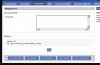
Just put this on startup script of the router:

sleep 80
sh /proc/net/ip_conntrack_flush


Where "80" is the time the router takes to connect VPN after restart.

This clean ip_conntrack entries.

That occur because like vpn is not connect yet router send packtes to Wan (don´t know vpn lan) and after the Keep Alive don´t leave router clean the entry.

Thank You.
 

Attachments

  • startup.JPG
    startup.JPG
    34.3 KB · Views: 1,663
Status
Not open for further replies.

Forum statistics

Threads
111,865
Messages
589,461
Members
164,704
Latest member
cdl1