Failed Authentication Protection Blacklists after three failed login attempts, but the configuration is set to 25....

Status
Not open for further replies.

MrG.

Forum User
Joined
Aug 23, 2019
Messages
23
Reaction score
0
I have the "Configure the amount of failed authentications that 3CX Phone System will accept. If this value is exceeded the source IP address is put in the Blacklist" set to the default 25, however, ip addresses are getting blacklisted after every third attempt. I've searched through the forums and did not see a similar issue. Our version is: 15.5.15502, and our system is locally hosted. Any thoughts?
 

Attachments
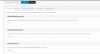
  • Screen Shot 2019-09-16 at 10.16.18 AM.png
    Screen Shot 2019-09-16 at 10.16.18 AM.png
    53.5 KB · Views: 39
Last edited:
What/how is user authenticating/logging into?
 
into the web client portal. It's not a show stopper because I can just wipe out the IP, but it's annoying. Perhaps I do not understand the setting....?
 

Attachments

  • Screen Shot 2019-09-16 at 11.23.16 AM.png
    Screen Shot 2019-09-16 at 11.23.16 AM.png
    27.3 KB · Views: 3
I believe 3 is the maximum limit for the management console/web client and this cannot be changed. the anti-hack is for SIP auth attempts and the like.
 
Ahh... I sort of figured I was misunderstanding the setting, thank you for that.
 
I suppose I could just whitelist the IP's...
 
I suppose I could just whitelist the IP's...

Personally I wouldnt. I'd get them to "remember me" in their browser instead or use a credential manager such as Dashlane.
 
  • Like
Reactions: MrG.
Personally I wouldnt. I'd get them to "remember me" in their browser instead or use a credential manager such as Dashlane.
yeah - I get it. Thank you for the advice.
 
Status
Not open for further replies.

Forum statistics

Threads
111,933
Messages
589,813
Members
164,808
Latest member
jsbjsb