Solved Fanvil H2U - No Audio When Picking Parked Calls

Status
Not open for further replies.

cFmPBX

Customer
Joined
May 10, 2021
Messages
6
Reaction score
0
Hello,

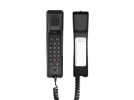
We have a few simple Fanvil H2U handsets that we call House Phones. The idea is to allow the facility's residents to pick up parked call.
The problem is that when we try to pickup a parked call, by known methods mentioned below, there is no audio.
Our 3CX is hosted (by 3CX). Our SIP ALG on a Unifi based network is turned off. Firewall check is all green (good). Dummy Ext 771 set to forward all calls to external number SP1.

This Fanvil H2U is on the supported phone list. It does not have any BLF keys.

Call flow is as follows: Caller dials extension 119 (Yealink). Extension 119 answers and parks the call in SP1. Music on hold starts playing for the caller.

Fanvil H2U picks up the phone by either (all methods below work on Yealink phones):
  • Dial 771#, or
  • Long press speed-dial 1 (programmed as speed dial or park or forward to 771 or 771# ), or
  • Long press speed-dial 1 (programmed as speed dial or park or forward to SP1)
Same happens when trying to pick up calls placed in Parking Orbits (as in *11 or *11#)

Any ideas how I can resolve this?

Thank you in advance.
1624550787291.png
 
Hi Nir,

You mentioned it is a hosted PBX, but you did not share any details as to how the phones have been provisioned.

Did you use STUN or SBC?
 
Hi Nir,

You mentioned it is a hosted PBX, but you did not share any details as to how the phones have been provisioned.

Did you use STUN or SBC?
I have used an SBC which is running on a desktop.
All phones are in the same building, and on the same network.
I have captured PCAP files from Fanvil and the 3cx > Dashboard > Activity Log if you'd like to see more.
Would be happy to send.
 
I tried to replicate your method, and in my case I was immediately successful:
- I dialled the dummy extension from another endpoint, ended up in the SP0
- then I dialled the dummy from the H2U and got connected to the other endpoint with proper 2-way audio

I'm wondering if the issue here is not the H2U, but rather the other person calling?

- Same model and Firmware
- V16.0.8.9 with SBC 16.2.2.24
- Forwards as below, from dummy ext. to SP0
1624631610683.png
 
I tried to replicate your method, and in my case I was immediately successful:
- I dialled the dummy extension from another endpoint, ended up in the SP0
- then I dialled the dummy from the H2U and got connected to the other endpoint with proper 2-way audio

I'm wondering if the issue here is not the H2U, but rather the other person calling?

- Same model and Firmware
- V16.0.8.9 with SBC 16.2.2.24
- Forwards as below, from dummy ext. to SP0
View attachment 22712


Thanks.

This is the exact same way I have it set up, except I forwards to SP1

Looks like I am running (or rather 3cx is hosting for me):
3CX Version v18 Update 0 (Build 1379)

My SBC is Ver 16 though. The only one I found in the download section.
Do you think that is a problem?

This is the exact step by step scenario:
--
Cell phone (ATT not 3cX) is dialing the main number.
IVR menu comes up
Cell phone dials 119 for ext 119
--
Ext 119 rings
Ext 119 answers
Ext 119 places the call into SP1 (via BLF)
BLF on 119 turns red, Cell phone hears music on hold
--
Ext 502 (Fanvil H2U) lifts the handset
Ext 502 has a dial tone
Ext 502 dials 771# (771 is a dummy extension that forwards to external number SP1)
--
Cell phone music on hold stops
Ext 119 BLF light goes to green
Ext 502 is now connected to SP1 but no audio between 502 or Cell phone
Cell phone still shows the call is in progress
----
Ext 502 hangs up
Cell phone call ends

Am I missing a step?
 
This issue was resolved when after I moved the SBC to a different computer.

Thanks
 
Glad to hear Nir!
 
Status
Not open for further replies.

Members Online Now

Forum statistics

Threads
111,834
Messages
589,287
Members
164,664
Latest member
dominik.pepel