Fanvil X4U Need second line to ring

Status
Not open for further replies.

jweldon

SOHO User
Joined
Jul 26, 2021
Messages
27
Reaction score
1
Have a situation where 4 phones are set in a ring group. Each has/had a 2nd line key, but when calls come in the 2nd line won't ring. Tried creating a second user and reconfiguring the 2nd key to that user. Put the second user in the ring group and still doesn't ring if on line 1.

Forwarding is on. I have read a lot of threads that talk about that.

There has to be something simple to fix this. We need to be able to answer multiple calls even if on the phone.
 
Hi,

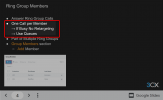
3CX does not poll ring group extensions that are currently in a call, so this is not going to work.
1650351263296.png

What you need is to use queues, so that you can have multiple callers coming in, and answering their calls as needed.

The incoming call is automatically answered by the queue. Your agents can use the 3CX wallboard to monitor the callers waiting.

You can also park current active calls, so you can pick up calls that are waiting in case you need to do so.
 
Hi,

3CX does not poll ring group extensions that are currently in a call, so this is not going to work.
View attachment 29579

What you need is to use queues, so that you can have multiple callers coming in, and answering their calls as needed.

The incoming call is automatically answered by the queue. Your agents can use the 3CX wallboard to monitor the callers waiting.

You can also park current active calls, so you can pick up calls that are waiting in case you need to do so.
How does this help in a receptionist environment then? They need to be able to answer multiple calls as they come in.
 
How does this help in a receptionist environment then? They need to be able to answer multiple calls as they come in.
As John just stated, use a call queue and EVERY call is answered by the QUEUE and then subject to your fantastic elevator music on hold until an available "RECEPTIONIST" can take the call. We use this methodology across 25 departments.
 
As John just stated, use a call queue and EVERY call is answered by the QUEUE and then subject to your fantastic elevator music on hold until an available "RECEPTIONIST" can take the call. We use this methodology across 25 departments.
I understand that but this isnt a solution for a smaller customer. If I am the only one in the office I need to know callers are ringing not queued up. I have to be able to put my call on hold and answer it. I know I could do a "call pickup" and if that is the best then I guess so be it.
 
I understand that but this isnt a solution for a smaller customer. If I am the only one in the office I need to know callers are ringing not queued up. I have to be able to put my call on hold and answer it. I know I could do a "call pickup" and if that is the best then I guess so be it.
Nah - works fine. Give them access to the queue web page and they can see what calls are queued up and place the first call on park and take the second call.
 
Nah - works fine. Give them access to the queue web page and they can see what calls are queued up and place the first call on park and take the second call.
So they need to upgrade from the free verison in order to do that correct?
 
Hi,

Yes they would need to upgrade to at least a 4SC Pro to get queues.

Your alternative solution (for 3CX Free edition) would be to have just 1x receptionist phone, enable accept multiple calls for this extension, and handle all calls from this phone. You can put the current caller on hold (or Shared Parking) and answer the next call. And so on and so on..

But if you want multiple receptionists working at the same time (ie. 4x stations), you need to switch to queues.
 
Status
Not open for further replies.

Members Online Now

No members online now.

Forum statistics

Threads
111,835
Messages
589,289
Members
164,665
Latest member
dominik.pepel