- Joined
- Nov 24, 2015
- Messages
- 7
- Reaction score
- 1
Good morning,
We are trying to configure a Fanvil X5S for Hotdesking.
Followed the instructions on the website and everything worked fine on the 3cx side.
The phone however does not want to play along.
Factory reset was done.
Shows up in my "Phones" list and I am able to assign it to the Hotdesk without problem.
Phone is then reprovision, and it boots with the logo and "HDxxxx" extension.
Try to login by dialing the extension (no conflict on outgoing rules) get only 1 busy tone followed by "PLS HANG UP" message on the display.
Checked into the Phone UI.....
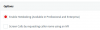
The phone is not provisioned via SIP Plug and Play (PnP) but by the Static Provisioning Server.
(I am using standard templates, as far as I am aware, as I have never changed them.)
How do we get it to go with PnP, I even tried to manually point it to the sever but after a reprovision it goes back to Static Server.
I hope someone has had this problem and it is a simple fix.
Thank you,
John
We are trying to configure a Fanvil X5S for Hotdesking.
Followed the instructions on the website and everything worked fine on the 3cx side.
The phone however does not want to play along.
Factory reset was done.
Shows up in my "Phones" list and I am able to assign it to the Hotdesk without problem.
Phone is then reprovision, and it boots with the logo and "HDxxxx" extension.
Try to login by dialing the extension (no conflict on outgoing rules) get only 1 busy tone followed by "PLS HANG UP" message on the display.
Checked into the Phone UI.....
The phone is not provisioned via SIP Plug and Play (PnP) but by the Static Provisioning Server.
(I am using standard templates, as far as I am aware, as I have never changed them.)
How do we get it to go with PnP, I even tried to manually point it to the sever but after a reprovision it goes back to Static Server.
I hope someone has had this problem and it is a simple fix.
Thank you,
John