Fax help - Grandstream HT702

Status
Not open for further replies.

ZenMasta

Customer
Joined
Mar 10, 2010
Messages
254
Reaction score
10
I need some help with faxing using a Grandstream HT702.
My fax extension is configured and tried to configure this device but so far no luck.
There isn't any significant changes to the configuration on the device, just my SIP info. I attached a screen grab and a copy of 3cx log

I have tried faxing a few different numbers but it (fax machine) always prints a report that says no answer.
I even dialed my cell phone. I can hear the fax beeping after I answer but it never makes the handshake sound.

Thanks

p.s. my provider is nexvortex
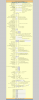
 

Attachments

  • HT702-fxs-port-1.png
    HT702-fxs-port-1.png
    139 KB · Views: 1,350
  • 3cx_obfax_log.txt
    3cx_obfax_log.txt
    2.9 KB · Views: 40
Have you tried "playing" with the Re-INVITE settings?
 
I made a new extension so I could configure the 2nd port on this device and test changing different settings

I disable Re-INVITE After Fax Tone Detected with no difference
I also tried Force INVITE to YES

Also, to turn the tables I tried calling myself and when I get the IVR I dial the extension to rsvj fax but the devices do not ring. And eventually 3cx says transfer failed - no answer.
 
Have you tried removing 3CX from the equation and registering the ATA directly with your VoIP provider?
 
I tried both today

I contacted nexvortex and made a test call out of each port 1 through 3cx and the other directly to them and they said it was a nat issue.
They said I should configure RTP ports... but I'm not a fan of opening such a massive range 1024-65535. Additionally it will interfere with other services like RDP/VNC/SQL.

When I configure the device for ports 1 and 2 it only mentions port 5004 and 5012 but if I nat only that range it doesn't make any difference.

If I do the entire range 1024-65535 I can successfully send directly through my provider but not through 3cx.

FWIW I did try 3cx proxy and but the proxy log never even showed any activity. Actually I've never been able the proxy to work.
 
Get yourself an account with Flowroute and you will be just fine.
 
Here are a few things you can try:

1. If it's a NAT issue, one way to test that this is true is by placing the device under your DMZ.
2. Results from placing device in DMZ will tell you that it is a NAT issue and that port forwarding is needed. I would say try forwarding ports 5000-6000 which will cover the SIP messaging. For the media ports e.g. RTP, you could try 8000-10000.
3. If this does not help, you can also try setting the device up with a pub IP to see if that helps.

Let us know what type of results you get. :)
 
Status
Not open for further replies.

Forum statistics

Threads
111,845
Messages
589,336
Members
164,681
Latest member
JV J