Firewall checker failed

Status
Not open for further replies.

Ravilla

Joined
Oct 4, 2017
Messages
66
Reaction score
1
Hi,

My 3CX version 15.5 running on Windows show firewall checker failed but i can use remote extensions and 3cx console form outside so the port forwarding should be correctly setup. what happened?
Please help....

  • resolving 'stun-au.3cx.com'... done
  • resolving 'stun2.3cx.com'... done
  • resolving 'stun3.3cx.com'... done
  • resolving 'sip-alg-detector.3cx.com'... done
  • testing 3CX SIP Server... failed (How to resolve?)
    • stopping service... done
    • detecting SIP ALG... detected (sent 52cabd96 ≠ f824d5e7) (How to resolve?)
    • testing port 5060... Mapping does not match 5060. Mapping is 1198. (How to resolve?)
    • starting service... done
  • testing 3CX Tunneling Proxy... failed (How to resolve?)
    • stopping service... done
    • testing port 5090... Mapping does not match 5090. Mapping is 4148. (How to resolve?)
    • starting service... done
  • testing 3CX Media Server... failed (How to resolve?)
    • stopping service... done
    • testing ports [9000..9255]... failed (How to resolve?)
      • testing port 9000... Mapping does not match 9000. Mapping is 4150. (How to resolve?)
      • testing port 9001... Mapping does not match 9001. Mapping is 4153. (How to resolve?)
      • testing port 9002... Mapping does not match 9002. Mapping is 4154. (How to resolve?)
      • testing port 9003... Mapping does not match 9003. Mapping is 4157. (How to resolve?)
      • testing port 9004... Mapping does not match 9004. Mapping is 4158. (How to resolve?)
 
Hi Ravilla,

Most importantly the firewall checker is detecting SIP ALG on your firewall.

I would ensure this is switched off before proceeding as it may have an adverse effect on the other results you are seeing.

SIP ALG is commonly a tick box in your firewall (dependent on manufacturer) however I have known it to be a CLI command in some routers and firewalls so make sure you are aware and familiar with the firewall you are using locally to your 3CX sytem.
 
  • Like
Reactions: Ravilla
whats your firewall?
 
  • Like
Reactions: Ravilla
Hi Ravilla,

Most importantly the firewall checker is detecting SIP ALG on your firewall.

I would ensure this is switched off before proceeding as it may have an adverse effect on the other results you are seeing.

SIP ALG is commonly a tick box in your firewall (dependent on manufacturer) however I have known it to be a CLI command in some routers and firewalls so make sure you are aware and familiar with the firewall you are using locally to your 3CX sytem.

Hi eddv123,

Now SIP ALG was disable but i still checker failed. Any advise?

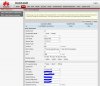
Router is Huawei hg8546m.

  • resolving 'stun-au.3cx.com'... done
  • resolving 'stun2.3cx.com'... done
  • resolving 'stun3.3cx.com'... done
  • resolving 'sip-alg-detector.3cx.com'... done
  • testing 3CX SIP Server... failed (How to resolve?)
    • stopping service... done
    • detecting SIP ALG... not detected
    • testing port 5060... Mapping does not match 5060. Mapping is 21534. (How to resolve?)
    • starting service... done
  • testing 3CX Tunneling Proxy... failed (How to resolve?)
    • stopping service... done
    • testing port 5090... Mapping does not match 5090. Mapping is 21568. (How to resolve?)
    • starting service... done
  • testing 3CX Media Server... failed (How to resolve?)
    • stopping service... done
    • testing ports [9000..9255]... failed (How to resolve?)
      • testing port 9000... Mapping does not match 9000. Mapping is 21596. (How to resolve?)
      • testing port 9001... Mapping does not match 9001. Mapping is 21599. (How to resolve?)
      • testing port 9002... Mapping does not match 9002. Mapping is 21600. (How to resolve?)
      • testing port 9003... Mapping does not match 9003. Mapping is 21603. (How to resolve?)
      • testing port 9004... Mapping does not match 9004. Mapping is 21604. (How to resolve?)
 
OK that is a step forward.

If SIP ALG is now off then you need to look at your firewall and NAT rules.

If you see the "how to resolve this on the firewall checker it will take you to a guide.

That I conjunction with the below should give you everything you need: https://www.3cx.com/support/firewall-configuration/

What you need on the ports side of things are Full cone NAT rules. In the ZyXEL router/firewalls I use it is called 1 to 1 NAT mapping.
 
  • Like
Reactions: Ravilla
OK that is a step forward.

If SIP ALG is now off then you need to look at your firewall and NAT rules.

If you see the "how to resolve this on the firewall checker it will take you to a guide.

That I conjunction with the below should give you everything you need: https://www.3cx.com/support/firewall-configuration/

What you need on the ports side of things are Full cone NAT rules. In the ZyXEL router/firewalls I use it is called 1 to 1 NAT mapping.

Hi eddv123,

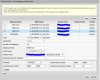
i am using static nat with full cone and port forwarding seem working fine as i can use remote extension and login the console remotely also i check open port online it is show open but in 3cx console firewall check still failed.

  • resolving 'stun-au.3cx.com'... done
  • resolving 'stun2.3cx.com'... done
  • resolving 'stun3.3cx.com'... done
  • resolving 'sip-alg-detector.3cx.com'... done
  • testing 3CX SIP Server... failed (How to resolve?)
    • stopping service... done
    • detecting SIP ALG... not detected
    • testing port 5060... Mapping does not match 5060. Mapping is 1410. (How to resolve?)
    • starting service... done
  • testing 3CX Tunneling Proxy... failed (How to resolve?)
    • stopping service... done
    • testing port 5090... Mapping does not match 5090. Mapping is 1412. (How to resolve?)
    • starting service... done
  • testing 3CX Media Server... failed (How to resolve?)
    • stopping service... done
    • testing ports [9000..9255]... failed (How to resolve?)
      • testing port 9000... done
      • testing port 9001... Mapping does not match 9001. Mapping is 1415. (How to resolve?)
      • testing port 9002... done
      • testing port 9003... Mapping does not match 9003. Mapping is 1417. (How to resolve?)
      • testing port 9004... done
      • testing port 9005... Mapping does not match 9005. Mapping is 1419. (How to resolve?)
      • testing port 9006... done
      • testing port 9007... Mapping does not match 9007. Mapping is 1421. (How to resolve?)
      • testing port 9008... done
      • testing port 9009... Mapping does not match 9009. Mapping is 1423. (How to resolve?)
      • testing port 9010... done
      • testing port 9011... Mapping does not match 9011. Mapping is 1425. (How to resolve?)
      • testing port 9012... done
      • testing port 9013... Mapping does not match 9013. Mapping is 1427. (How to resolve?)
 

Attachments

  • port.JPG
    port.JPG
    47.5 KB · Views: 21
  • router.JPG
    router.JPG
    67.2 KB · Views: 21
This guide will explain how this should not be the case:

https://www.3cx.com/docs/firewall-checker/

The only other thing this could be is that your 3CX systems public IP address has unknowingly changed.

This is a more common occurance than you would think even if you think you have a static IP on the line.
 
  • Like
Reactions: Ravilla
Hi Guys
I have installed the 3CX version 15.5 on windows 10.
I have disable the windows firewall and also done the mapping on my CYberoam Firewall but still i am facing this error while running firewall checker.

resolving 'stun-eu.3cx.com'... done
resolving 'stun2.3cx.com'... done
resolving 'stun3.3cx.com'... done
resolving 'sip-alg-detector.3cx.com'... done
testing 3CX SIP Server... failed (How to resolve?)
stopping service... done
detecting SIP ALG... failed (How to resolve?)
testing port 5060... not reachable (How to resolve?)
starting service... done
testing 3CX Tunneling Proxy... failed (How to resolve?)
stopping service... done
testing port 5090... not reachable (How to resolve?)
starting service... done
testing 3CX Media Server... failed (How to resolve?)
stopping service... done
testing ports [9000..9255]... failed (How to resolve?)
testing port 9000... not reachable (How to resolve?)
testing port 9001... not reachable (How to resolve?)
testing port 9002... not reachable (How to resolve?)
testing port 9003... not reachable (How to resolve?)
testing port 9004... not reachable (How to resolve?)
testing port 9005... not reachable (How to resolve?)
testing port 9006... not reachable (How to resolve?)
testing port 9007... not reachable (How to resolve?)
testing port 9008... not reachable (How to resolve?)
testing port 9009... not reachable (How to resolve?)
testing port 9010... not reachable (How to resolve?)
testing port 9011... not reachable (How to resolve?)
testing port 9012... not reachable (How to resolve?)
testing port 9013... not reachable (How to resolve?)
testing port 9014... not reachable (How to resolve?)
testing port 9015... not reachable (How to resolve?)
testing port 9016... not reachable (How to resolve?)
testing port 9017... not reachable (How to resolve?)
testing port 9018... not reachable (How to resolve?)
testing port 9019... not reachable (How to resolve?)
testing port 9020... not reachable (How to resolve?)


1 hour ago it was all okay except 9000 and 9001 was failed.
please help

due to this when i call extension to extension , there is no voice at all.

Regards
 
Hi Syed123,

I think SIP ALG is still on (if you are getting sporadic results). As far as this setting and Cyberoam go there is not much documented on the Web (which is concerning) all I have found is:

> cyberoam system_modules sip unload
 
Hi eddv123

Thanks for the response.
1. shall i shoot an email to VOIP PROVIDER? to check from them ?
2. however i have another server on diferent subnet where the SIP ALG is also enable but there only 9000 and 9001 ports are showing blocked rest are okay ,

because i am facing issue while making calls to pstn after third call the trunk between 3cx and patton got unregistered.

so i have installed new server in same subnet just to avoid the additional HOPs

but here i am facing issue on ports and even in extension to extension call after 8 seconds there will be no voice.
pls advise.

Regards
 
Your VoIP Provider will not be able to assist at this point.

First point of call is to fix the firewall, speak to Cyberoam (or the distributor it was purchased from if they offer technical support) and have them check through your settings for 3CX.

Have them confirm SIP ALG is turned off, and the relievent ports required are port forwarded to the correct location (3CX PBX): https://www.3cx.com/ports-used-3cx-phone-system-v14-v15/

NOTE: Ensure you open up your ports sensibly (only to who requires them in your system - like the VoIP Provider, do not put "any" rules in).
 
  • Like
Reactions: StefanW
HI eddv123

Thank you for your response.

Let me try the above and will share the feedback.
but what if SIP ALG will be disable and still the 9000 and 9001 are blocked than what we have to do ?

Regards
 
Use an SBC..
 
Hi Alex,

Thank you for response.
the problem is we have 3cx server which is connected with patton gateway , the customer have MPLS through that they have have connected 5 branches but some how when they start calling after 3rd call trunk between 3cx and patton got unregistered and they have to reboot it to bring it up.

patton gateway is in : 172.XXX.XXX.XXX
3cx server : 10.XXX.XXX.XXX

any help ?

Regards
 
This guide will explain how this should not be the case:

https://www.3cx.com/docs/firewall-checker/

The only other thing this could be is that your 3CX systems public IP address has unknowingly changed.

This is a more common occurance than you would think even if you think you have a static IP on the line.

now i changed my router to Mikrotik and firewall test passed.
 
Status
Not open for further replies.

Latest Posts

Members Online Now

Forum statistics

Threads
111,861
Messages
589,439
Members
164,701
Latest member
yarusemiKK