Solved Firewall test failed after upgrade to SP6

Status
Not open for further replies.

Alexandre Peloquin

Titanium Partner
Advanced Certified
Joined
Nov 17, 2017
Messages
56
Reaction score
12
I upgraded my 3CX system to SP6 and my firewall test does not pass the test for ports 10600 to 10998. He says he has the following error full cone test failed.

My system has an external address directly connected and it has no firewall rule upfront.

I tried to add the ports with the following command, however I still have the failed.

iptables -A INPUT -p udp -m multiport -deals 10600: 10998 -j ACCEPT

Do you know what I have to do for the test to pass?
 
The RTP ports count was lengthen recently for these extra ports.

You should just need to alter your existing media port rule on the local firewall to include these ports. Unless you have put any specifics in your 1-1 NAT rule (public to private) which I would doubt.

This should help with setting up the IP table side of the configuration:
https://www.3cx.com/docs/manual/firewall-router-configuration/
 
My system is a PBX Express to OVH and it have an interface with an external address. I called OVH and I have no firewall up front of it. The only firewall I have is the Linux it self with iptables. I tried to had these ports, but my firewall still failed for port 10600 to 10998. I don't understand why it failed.

root@ovh-custom-bhs3-2018-03-30-22-51-13-rwz0:~# iptables -L
Chain INPUT (policy ACCEPT)
target prot opt source destination
ACCEPT udp -- anywhere sip.mcast.net
ACCEPT tcp -- anywhere anywhere multiport dports h ttp,https,sip,sip-tls,5090 tcp flags:FIN,SYN,RST,ACK/SYN ctstate NEW
ACCEPT udp -- anywhere anywhere multiport dports s ip,5090
ACCEPT udp -- anywhere anywhere multiport dports 1 0600:10998
ACCEPT tcp -- anywhere anywhere multiport dports 1 0600:10998
Chain FORWARD (policy ACCEPT)
target prot opt source destination
Chain OUTPUT (policy ACCEPT)
target prot opt source destination
 
Thank you, very much. Yes the rules is there.
 
as you are a horizon user (open stack) you have a firewall upfrom.
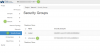
You find this in the security settings:: https://horizon.cloud.ovh.net

Note: You must select the correct zone from above to alter the rule
View attachment 8579

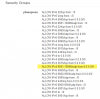
I add the rule "Ingress UDP 9501-10999 0.0.0.0/0" to my Sercurity group PBX Express, but my firewall test still doesn't pass.

esting ports [10600..10998]... failed (How to resolve?)
testing port 10600... full cone test failed (How to resolve?)
testing port 10602... full cone test failed ...

upload_2018-9-23_15-50-26.png
 
I did not identify the reason, but after a few days all my systems passed the firewall test now.
Thank you all for your help.
 
Glad to see the issue has been resolved and thank you for updating the thread with your solution
 
Status
Not open for further replies.

Latest Posts

Forum statistics

Threads
111,899
Messages
589,619
Members
164,765
Latest member
domi