• We do not provide troubleshooting help for unsupported phones. Please try with a supported phone.
  • V20 Update 10 Alpha 2 Learn more

Unsupported Grandstream HT813 FXO Issues with calls

Status
Not open for further replies.

Spottyjarl402

Free User
Joined
Sep 29, 2021
Messages
23
Reaction score
0
I have a grandstream HT813 which I am trying to use the fxo port on so if you know anything about this device your help would be appriciated
Incoming:
When someone calls the number attached the ata will pick up and play dial tone but has alot of static in the background then the call will drop after about 5 seconds. I have checked the activity log in 3cx and it appears the call never hits the pbx
Outgoing:
When an outgoing call is made by just typing the number it will just play the tri tone dialing sound for 30 seconds before hanging up
Thanks for you help in advance
 
yes I had, stage dialing has been changed to 1
Have made some changes will be able to test them tommorow when I get to the office
will get back to you then
 
That might explain getting the dial tone. Two stage dialing is usually used when you want to dial into one number, receive dialtone, then dial out on another line, like a DISA trunk
 
Ok update inbound call work fine but no caller id but thats fine
however out going is doing the same things
 
This is the code its saying:
11/17/2021 1:58:45 PM - Call to T:Line:10000>>(phone number)@[Dev:sip:[email protected]:37941] from L:41.1[Extn:300] failed, cause: Cause: 408 Request Timeout/INVITE from 10.77.1.88:5060
 
Does anyone happen to know?
 
11/17/2021 1:58:45 PM - Call to T:Line:10000>>(phone number)@[Dev:sip:[email protected]:37941] from L:41.1[Extn:300] failed, cause: Cause: 408 Request Timeout/INVITE from 10.77.1.88:5060
Well....the device will have two ports. one for the ATA part(FXS) and one for the gateway (FXO). Usually 5060 is used on the FXS and 5061 is used on the FXO. It's not a hard and fast rule, but the ports just have to be different on each.
The other thing is that the port assigned in the Grandstream to the FXO is also defined in the trunk settings of 3CX, so it knows which port the device is using. The log you posted shows the call being sent to the devices IP and port 37941, which probably won't work. Check which ports you have assigned in the device, and the 3CX trunk settings.

As far as caller ID not working....I seem to recall that that was an issue with those devices. I'm not certain that it can be corrected.
 
Caller ID is fine not working
So I have decided I'm not going to use fxs port
so for the fxo port should I use port 5061 and what rtp port? no idea why its trying to use port 37841 as I haven't configured that anywhere or seen a box for it anywhere but ill have a better look
 
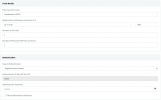
There are all the settings
 

Attachments

  • Screen Shot 2021-11-18 at 8.49.09 AM.png
    Screen Shot 2021-11-18 at 8.49.09 AM.png
    165.4 KB · Views: 89
If the FXS port is disabled, then , yes, you can use port 5060, there just can't be a conflict.
The settings seem to show that 3CX should use port 5061, so I don't know why the other port is showing in the log. The IP and port, where the call is to be sent, is taken from your 3CX settings.
 
I will have another tinker when I get to the office currently I can only access the management console remotely
 
Also do you know if I should have the ethernet cable pluged into the wan or lan port? Currently its in wan
 
Should be in the WAN.
 
  • Like
Reactions: Spottyjarl402
Ok its up and running with incoming and outgoing the only problem is the call seem to be cutting in and out but we are still trying to figure out if its the caller or us
What I ended up doing is just port forwarding port 5062 and using that also in basic settings the second last box "forward numbers to pstn with:" I put +,0-9 simular to what you would put in a 3cx outbound rule
 
Glad you got the basics working. As for the "cutting in and out"...does this happen on both outgoing, and incoming calls? Does a phone, using the PSTN line directly, have any issues?
 
Not sure will confirm with the team when I get to the office
 
Ok yep its all working and all problems are gone thanks leejor!
 
Status
Not open for further replies.

Forum statistics

Threads
112,147
Messages
590,959
Members
165,167
Latest member
Finatra.us