they did not - I presumed they just needed to be using the same method (e.g. WIFI or Ethernet)
changed the NI name on the VM to match the NI name on the NUC.
Here's how I did it as it requires some config for anyone looking. (details changed) on Debian
Navigate to the appropriate directory for udev rules. In Debian-based systems, it's often /etc/systemd/network/
cd /etc/systemd/network/
Look for a file related to network interfaces (e.g., 99-default.link)
sudo nano 99-default.link
for me the file was empty so I entered the details manually.
[Match]
MACAddress=xx:xx:xx:xx:xx:xx
[Link]
Name=eth0
After updating the 99-default.link file, save the changes (CTRL X to save) and reload udev rules (run both lines seperately):
sudo udevadm control --reload-rules
sudo udevadm trigger
Then, reboot your virtual machine to apply the changes:
sudo reboot
check that's worked with
ifconfig or
ip link
Now this changed my IP address to the loopback address because the network interface name was still the old one in the network configuration file. Here's how I changed it:
the primary configuration file is typically located in /etc/network/interfaces.
sudo nano /etc/network/interfaces
Update the configuration of the primary network interface (not the loopback leave that one alone). Mine needs to get a static IP which is set on the DHCP of the firewall so I changed the primary to this:
allow-hotplug eth0
iface eth0 inet dhcp
If you've set a static elsewhere you may want this config:
allow-hotplug eth0
iface eth0 inet static
address 192.168.1.2
netmask 255.255.255.0
gateway 192.168.1.1
After making these changes, you should restart the networking service and reboot the system to apply the new configuration:
sudo systemctl restart networking
sudo reboot
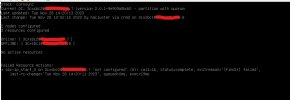
Then I checked with ifconfig and all was good. I've now tested the HA cluster and it works a treat (I did have to reboot the first node too). thanks for the fast response
@Gbot@Okam