Help With 3CX server with PFsense

Status
Not open for further replies.

techs221

Free User
Joined
Jul 13, 2012
Messages
93
Reaction score
0
Hello All

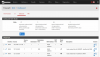
I am in need of some help I had to change my server to a new box and I can not get my phone server outside of my lan I have forwarded all ports that I need to I think, I have tried everything I can think of

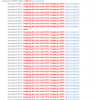
I am running though a PFSENSE firewall and can not get my firewall checker to pass or get access outside of internal network
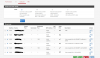
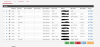
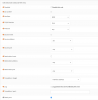
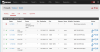
I have included screen shots. any help would be awesome
 

Attachments

  • firewall-checker.PNG
    firewall-checker.PNG
    103.3 KB · Views: 101
  • outbound.PNG
    outbound.PNG
    67.4 KB · Views: 107
  • port.PNG
    port.PNG
    67.7 KB · Views: 102
Hi

Try changing the outbound NAT method to Manual (The radio buttons above the outbound NAT policies) - That's how i set all mine and have no issues

Hope this helps!
 
You can make it work in Hybrid mode, as manual rules take priority. Add a new NAT rule as follows:

Source: Your 3cx internal IP
Destination: Any
NAT: WAN Interface/IP
Static NAT Port (This is the important one)

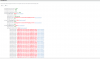
Without the static nat port 9500 gets translated to something else, as shown in your checker screenshots, static nat port means 9500 etc will equal 9500.

Update: Image attached, I use OPNSense which is a pfSense fork, same same when it comes to NAT configuration.
 

Attachments

  • 3cx nat.png
    3cx nat.png
    61.5 KB · Views: 136
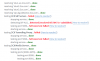
ok that fixed some of the firewall checker what about these parts

and I am not sure if this is related or not but I can not make outgoing phone calls and if someone calls in i can hear them they just can not hear me
 

Attachments

  • firewall-checker.PNG
    firewall-checker.PNG
    23.5 KB · Views: 81
on pfsense for 5060 use UDP or both, UDP/TCP, for 5090 use both UDP/TCP.
Then try firewall checker again
 
ok now I lost all the porting mapping for the 9000-9500 all fails again
 
here is what it looks like now
 

Attachments

  • firewall checker.PNG
    firewall checker.PNG
    96.8 KB · Views: 34
We did setup like the below for a customer, and it is working, look at the Outbound NAT Mode, and the specifik internal server IP.
I mean that when creating the Roules, you was able to click on a "Create Coorsponding Roule" and select this.
Hope it helps, I´m not able to help further as I dont have access to the router anymore.

upload_2018-4-25_10-33-0.png

upload_2018-4-25_10-33-40.png
 
Status
Not open for further replies.

Latest Posts

Forum statistics

Threads
111,885
Messages
589,545
Members
164,744
Latest member
johnblackwood1