- Joined
- Apr 3, 2020
- Messages
- 31
- Reaction score
- 0
OK set up a fresh version of 3cx V16 as a lab
Trying to provision a Yealink T38 remotely.
Disallow use of extension outside the LAN (Remote extensions using Direct SIP or STUN will be blocked) is not selected
Using Direct SIP (STUN - remote)
Host is digital ocean
All ports per documentation are confirmed open
Firmware is set to the required version and no SSL is selected.
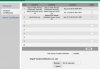
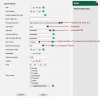
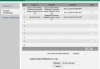
Pictures of the yealink config included below.
Setting the url link in the phone and saying autoprovision does nothing. Even after rebooting the phone.
Turning on Zero touch on the phone will get t he phone to prompt for a login and password. After entering it the phone says updating then updating failed.
Adding the username of the extension and the voicemail pin as the password in the phone provision page auto populates that info. (still fails)
See video for what phone is doing. We cant find any log with relevant info on why this is happening. Any help in where to look to figure out why would be appreciated!
Video of phone failing
Pictures of Phone settings

Trying to provision a Yealink T38 remotely.
Disallow use of extension outside the LAN (Remote extensions using Direct SIP or STUN will be blocked) is not selected
Using Direct SIP (STUN - remote)
Host is digital ocean
All ports per documentation are confirmed open
Firmware is set to the required version and no SSL is selected.
Pictures of the yealink config included below.
Setting the url link in the phone and saying autoprovision does nothing. Even after rebooting the phone.
Turning on Zero touch on the phone will get t he phone to prompt for a login and password. After entering it the phone says updating then updating failed.
Adding the username of the extension and the voicemail pin as the password in the phone provision page auto populates that info. (still fails)
See video for what phone is doing. We cant find any log with relevant info on why this is happening. Any help in where to look to figure out why would be appreciated!
Video of phone failing
Pictures of Phone settings