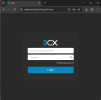
My Hosted 3CX PRO system shows as “Running” in the 3CX Portal, but the Admin Console on port 5001 cannot be accessed.Hosted Tools such as Restart Instance and Management Console access are missing.It appears the PBX administrator account was not assigned during installation.
System details:
Hosted by 3CX
FQDN: icplorain-pbx.oh.3cx.us
Version: 20.0 Update 9
Location: USA
Please advise how to assign the PBX administrator and restore access to the Management Console.
Please note that you should access the system using the configured HTTPS port, to reach the login page and then log in using your System Owner user extension.
Once logged in with a user assigned the System Owner role, the Admin section will be available from the web client.
Additionally, when the system was initially deployed, a Welcome Email should have been sent to the email address associated with the System Owner user. Could you please confirm whether you received this email?
However, I do not have a System Owner user extension.During installation, no Welcome Email was received and no System Owner account appears to have been created.
Because of this:
I cannot log in as System Owner
The Admin section does not appear
Hosted Tools (Restart Instance, Management Console) are missing
Port 5001 cannot be accessed
Could you please assign a System Owner to this Hosted instance or advise how to proceed?