


- Joined
- Sep 26, 2024
- Messages
- 3
- Reaction score
- 0
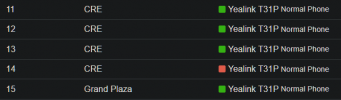
When I migrated from v18 to v20 these phones were migrated over:
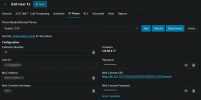
Example IP Phone tab config on one of the above phones:
Now when I try to add a new one it shows up as local phone:

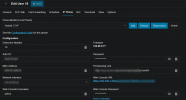
These phones aren't local, I'm using a google cloud server. Example config from "Local Phone" :
I just want to be able to set them up like I did in V18...
I tried following this guide but it didn't help https://www.3cx.com/docs/manual/ip-phones/#h.g0p79dsh78jd
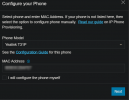
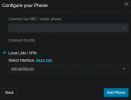
This is what I get when I try to add the phone:
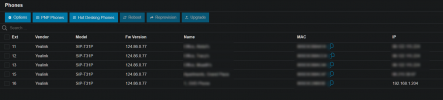
Whenever I change settings on the phones, I check the phone's web UI and I do get a "Registering" status, the first one did get registered but the other two won't. I'm assuming the problem is that they're "Local Phones" and their IPs are all local instead of to their public IP. That's just my guess though.
I've been googling so much my head hurts .. Any help would be much appreciated.
Example IP Phone tab config on one of the above phones:
Now when I try to add a new one it shows up as local phone:
These phones aren't local, I'm using a google cloud server. Example config from "Local Phone" :
I just want to be able to set them up like I did in V18...
I tried following this guide but it didn't help https://www.3cx.com/docs/manual/ip-phones/#h.g0p79dsh78jd
This is what I get when I try to add the phone:
Whenever I change settings on the phones, I check the phone's web UI and I do get a "Registering" status, the first one did get registered but the other two won't. I'm assuming the problem is that they're "Local Phones" and their IPs are all local instead of to their public IP. That's just my guess though.
I've been googling so much my head hurts .. Any help would be much appreciated.
Last edited:


