How to change the link of livechat

Status
Not open for further replies.

term5tech

Free User
Joined
Sep 11, 2023
Messages
2
Reaction score
0
Hi there,

I want to change the link of my live chat.
the link is https://1326.3cx.cloud/<name>
I want to change that name.

I have tried changing the Profile name on the portal but that doesnt do anything.
 
Hi @term5tech

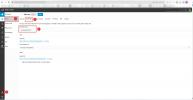
To change the talk URL click on the Admin button >> Users >> 3CX Talk >> and change the friendly name as shown below.

image.pngw in the screenshot.
 
But thats the link where we cannot disable the call option, I want to change the main link which is visible under "Voice & Chat"
 
Please note that the link you have mentioned is the PBX's FQDN and this cannot be changed.
 
Hello ALL
I have one question with 3CX
Currently, I have 3CX using on-premise within the new 3CX v20 after clicking on 3CX reset password on the user it will send the email to the user but the link reset password is not the IP of my on-premise it is the link of 3CX FQDN
How can we change it?
 
Hello ALL
I have one question with 3CX
Currently, I have 3CX using on-premise within the new 3CX v20 after clicking on 3CX reset password on the user it will send the email to the user but the link reset password is not the IP of my on-premise it is the link of 3CX FQDN
How can we change it?
V20 only uses Split DNS so it will always be the FQDN and that cannot be changed.
 
Status
Not open for further replies.

Forum statistics

Threads
112,147
Messages
590,959
Members
165,167
Latest member
Finatra.us