


- Joined
- Sep 25, 2017
- Messages
- 54
- Reaction score
- 11
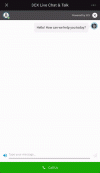
There's an auto-zoom-out effect on mobile devices during live chat and talk. Adding a specific tag to the webpage is said to resolve this issue. Does anyone know which tag to use or have any other suggestions?
Could anyone help me identify where to add those codes on the 3cx live chat?
Code:
<meta name="viewport" content="width=device-width, initial-scale=1.0, maximum-scale=1.0, user-scalable=0"/>Could anyone help me identify where to add those codes on the 3cx live chat?


