How to provision unsupported Grandstream devices to 3cx

Status
Not open for further replies.

PetarPetarrr

Joined
Jun 9, 2018
Messages
4
Reaction score
0
Hi team,
I'm new to 3cx - recently installed it and working well.

Now that I'm starting to add devices, I've been successful with whatever is on the list of available phones. However - I am having trouble adding the Grandstream HT802.

Is it possible to use the ip, username/password for manually adding on the devices' back end page?

If so, what field goes where? I tried a million ways and I keep blocking the IP, Allow and then attempt again. It's getting kind of annoying.

Your help is greatly appreciated!!!
 
Username - using extension number or authentication Id?
If I recall you need both on these in different places. And while testing - whitelist the IP address as to not block it again.
 
Manually configuring these devices should be fairly simple (I have done this with their predecessor HT701 device loads of times with 3CX).

On the note of provisioning there are standard provisioning templates on their website available, and I do have 3CX templates for v14 (not 15/15.5).

If you are familiar to the way Grandstream templates work you could make an attempt at writing one for the later 3CX versions however they run in a numerical format (unlike most gateway devices) which is a lot harder to understand. This has made creation of such templates a bit of a pain.

I have heard rumor that some Grandstream gateway products maybe supported at some point however that is not a definite.
 
  • Like
Reactions: PetarPetarrr
  • Like
Reactions: PetarPetarrr
First and foremost, thank you for your assistance on this. It's now 3 days in and I can't figure it out.

Use this as a starting point...

https://www.electronicfrontier.co.uk/wp-content/uploads/2018/05/Grandstream-HT701.pdf

If everything is on the local network, you can ignore the STUN settings. If you don't use FQDN, then use the IP of the 3CX server as the SIP server, where they have put in an FQDN.

Fields should be similar to your model.

I followed this guide, to the point. 3CX logs show that there's a credential issue...

1. I used the voicemail pin as the password - no luck.
2. I used the auth pass - no luck.

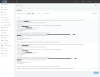
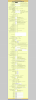
Take a look at the screenshots, any help is appreciated.
 

Attachments

  • 3cx2.png
    3cx2.png
    190 KB · Views: 94
  • 3cx1.png
    3cx1.png
    988.7 KB · Views: 101
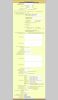
Also, forgot to add this - tried editing above but said it was spam the second time around :s
 

Attachments

  • 3cx3.png
    3cx3.png
    495.3 KB · Views: 38
Manually configuring these devices should be fairly simple (I have done this with their predecessor HT701 device loads of times with 3CX).

On the note of provisioning there are standard provisioning templates on their website available, and I do have 3CX templates for v14 (not 15/15.5).

If you are familiar to the way Grandstream templates work you could make an attempt at writing one for the later 3CX versions however they run in a numerical format (unlike most gateway devices) which is a lot harder to understand. This has made creation of such templates a bit of a pain.

I have heard rumor that some Grandstream gateway products maybe supported at some point however that is not a definite.

Above my skillset at this time.
 
Hi,

Usually a HTxxx is setup and running in less than 5 minutes.

Personally I have very bad experiences with Grandstream firmwares.

I’ve take a look at your screenshots and I recommend to reset the HTxxx to factory default before going further because there are set-up several wrong parameters.

You are using STUN... so why not use the PBX as STUN server?

As for the FXS port settings:
Prim SIP server: 3CX PBX FQDN
NAT Traversal: STUN
SIP User ID: 3CX Ext number
Auth ID: 3CX Auth ID
Auth Passw: 3CX Auth Passw
Leave other settings on default.

Please check if the IP address of the HTxxx is not Blacklisted in 3CX.

Hope this will help.
 
Last edited:
If you go to the grandstream partner connect on the grandstream website and sign up (it's free) you can access templates for the latest version of 3CX for all their products. When you get a login to the portal it is under marketing for some strange reason
 
If you go to the grandstream partner connect on the grandstream website and sign up (it's free) you can access templates for the latest version of 3CX for all their products. When you get a login to the portal it is under marketing for some strange reason

Do they now have templates for the gateways again for v15.5? Every time I have checked they say yes and then send me the templates for the phones only. Then when pressed they say the gateway templates are not available yet. It’s been like that since v15 came out.
 
Just for future reference, the voicemail password is just that. It is not used for device registration unless you set the registration password that way. If you did...change it to something much more complicated than a simple PIN number, or you are asking for trouble.

Oh, and after looking over the current setting in your gateway, you might want to change the Register Expiration to 30 minutes. I'm not certain if 3CX overrides the 60 minutes you have in there.
 
Last edited:
Although STUN has been mentioned several times I have not actually see you say how you are connecting this device yourself to 3CX.

Please advise if it is local/remote and if local if with the same subnet or another.
 
  • Like
Reactions: YiannisH_3CX
Hello @PetarPetarrr

Please note that it is always better to use supported devices to avoid these types of issues.
Having said that there are some older gateways that do not register if the extensions username and auth id are not the same. Make sure that the device IP is not blacklisted and try using the changing the extensions auth ID to match the extensions number. Then try registering it again.
 
Status
Not open for further replies.

Latest Posts

Forum statistics

Threads
111,885
Messages
589,547
Members
164,745
Latest member
Herm77