How To Stop Incoming Call On 3CX Smartphone Application When Outside Office?

Status
Not open for further replies.

Tiong Seng IS

Joined
Jan 1, 2018
Messages
4
Reaction score
0
Dear Sir/Mdm,
Most of my office users are using 3CX smartphone client via WIFI, however users are still able to receive incoming calls when outside office via personal mobile data.

We tested and confirmed the cause was due to External PBX IP on client configuration.
We tried to remove it but the setting restores after phone re-provision itself automatically.

Use of After office hour call setting is not preferred, as per my office operation it is common to work after office hours.
My office is fine if user unable make call via 3CX when outside office WIFI coverage.

Please advice what is the best way to avoid receiving incoming call when outside office WIFI coverage.
Achieve this will benefit and convenience my office operation a lot.
Appreciate and look forward to your guidance.
Thanks.
 
There should be an Exit option that does not leave Push enabled. Depending on your set-up (local server), you might also set the extension option to not allow registration outside the local LAN.
 
i think you can do one thing in the account setting in ur smart phone.

Configure Account ----> select the account name ----> out of office (type here the LAN IP Address).
 
There should be an Exit option that does not leave Push enabled. Depending on your set-up (local server), you might also set the extension option to not allow registration outside the local LAN.

Hi and thanks.
My office is using 3CX V15.5, local server setup is good for my office.
Please guide me to where the exact location for the extension option to not allow registration outside the local LAN.
 
i think you can do one thing in the account setting in ur smart phone.

Configure Account ----> select the account name ----> out of office (type here the LAN IP Address).

Thanks.
There are hundred of smart phone users so it is very challenging to get all to configure the change.
Push of server policy will be preferred.
It will be great if 3CX phone can auto switch to out of office mode, if detect not within LAN.
 
Please guide me to where the exact location for the extension option to not allow registration outside the local LAN.

That options is in each extensions settings in the PBX. You must uncheck it to allow registrations outside the local LAN.
 
Thanks leejor.
However in 3CX V15.5, the option you have shared seem no longer exists or might have rephrased into other wordings. Appreciate your guidance to lead me to it. Thanks.
 
This is quoted from the Admin manual...

https://www.3cx.com/docs/manual/pbx-extension-management/

Options
The options tab allows you to set advanced options.


Restrictions

The restrictions sections allows you to configure what the extension is allowed to do.


  • Disable Extension – Disables extension.
  • Disable External Calls – Disallows any external calls from the extension.
  • Enable PIN Protect - You can configure an extension to allow outbound calls only after they enter a PIN. To unlock the extension, the user dials 777 followed by the PIN and a #. The PBX will inform the user that access has been granted. The user can then proceed to dial the desired external number.
  • Disallow use of extension outside the LAN – Blocks any registrations from outside of the network. This setting applies to IP phones.
  • Block remote tunnel connections – Blocks the extension from being registered outside of the network, even if it uses the tunnel feature (which is seen as a local registration).
  • Block outbound calls outside office hours.

Now, the addition of "this applies to IP phones" , suggests that it may not apply to 3CX clients, which I can't confirm. You will have to try it and see what happens. There is also the option right below.
 
Hello @Tiong Seng IS

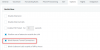
You will need to navigate to edit an extension then navigate to Options and select the option "Block Remote Tunnel Connections" to prevent a 3CX client to connect outside from the local LAN. The option "Disallow use of extension outside the LAN" will not work in your case as the clients are using the tunnel . That option is only for IP phones as leejor suggested. 2018-01-05_10h24_49.png
 
Status
Not open for further replies.

Latest Posts

Forum statistics

Threads
111,880
Messages
589,533
Members
164,735
Latest member
998742