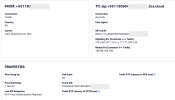
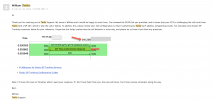
Yes, I set up Twilio (Auto-setup) using the Authentication ID (SIP User ID) and Authentication Password, and I also created another trunk without authentication just to test.
I can’t receive incoming calls, the call drops immediately (0 seconds).
However, making outbound calls works perfectly.
A 407 Proxy Authentication Required response is usually part of the normal SIP authentication process, not an error by itself. It basically means the provider is asking your system to prove who it is before allowing calls to continue.
What typically happens is this:
your system sends a register or call request, the provider replies with a 407 challenge, and then your system should resend the request with the correct credentials. If everything is set up correctly, the call or registration proceeds normally.
Problems start when that second, authenticated request never succeeds. In those cases, incoming calls can fail or registration won’t complete.
A few things worth double-checking:
Username and password are exactly as provided, including any required authentication ID (sometimes this differs from the main account or number).
Authentication method matches what the provider expects — some require registration-based auth, others IP-based, and mixing these up causes repeated 407 responses.
Firewall or NAT isn’t blocking or altering SIP traffic. Even small changes can prevent the authenticated response from reaching the provider.
Logs or SIP traces can help confirm whether your system is actually replying to the 407 with credentials or just repeating the unauthenticated request.
So the 407 message itself isn’t the real issue — it’s a signal that authentication is required. The key is making sure the system responds correctly after that challenge. Once the credentials and auth method match what the provider expects, incoming calls usually start working again.