Idee origine audio interno sip.. (non avendo i requisiti per scrivere li)

Status
Not open for further replies.

PasqualeBS

Free User
Joined
Feb 13, 2022
Messages
5
Reaction score
0
Mi capita spesso di dover iniziare una videochiamata sul computer remoto, (workstation) dove sono installati programmi pesanti (gis.. Cad), per poi condividere il monitor (del pc remoto).
Essendo in smart e lavorare sulla workstation in remoto con un modesto portatile e desktop remoto non riesco a condividere l'audio (che sarebbe anch'esso remoto)..
La soluzione potrebbe essere di inserire nelle impostazioni della videochiamata "audio da interno" in modo da utilizzare l'interno 3cx per ricevere ed inviare audio alla videochiamata.
 
Last edited:
Hi @PasqualeBS,

What kind of remote session are you setting up? Are you using Remote Desktop Connection in Windows? If you are, you can send Audio through by editing the settings and under local resources, allowing the microphone to be used by the remote connection. If you can confirm which Remote software you're using, I can walk you through the steps.
 
Grazie..
Conosco che modifica
Code:
Computer\HKEY_LOCAL_MACHINE\SYSTEM\CurrentControlSet\Control\Terminal Server\WinStations\RDP-Tcp
fDisableAudioCapture =0
Ho audio remoto da poter configurare, ma con latenza elevatissima, praticamente non utilizzabile. Non sono mai riuscito ad avere buoni risultati con audio RDP.
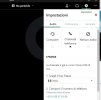
semplicissimo creare una nuova connessione "audio voip" , così da condividere lo schermo remoto utilizzando audio proveniente da chiamata app 3xc (o telefono voip)

La concorrenza fa così conferenza audio.jpg
 
Last edited:
Hi @PasqualeBS,

I'm not sure what software that is, but it doesn't look like 3CX Webmeeting. Either way audio over RDP is never recommended as it gives you the problems you mentioned above. I'd suggest finding another way.
 
non è 3cx webmeeting ma la soluzione che ha trovato un'altra software House.
Chiedo infatti a 3cx di implementare come sorgente audio di un meeting "interno 3cx"
 
Hi @PasqualeBS,

Thanks for clarifying! For all feature requests, we have a policy that states that they must be posted to the Ideas forum. To that end, please contact a 3CX Partner to have them post the request on your behalf.
 
Non ho autorizzazione per scrivere li :(
Grazie
 
Hi @PasqualeBS,

That is correct. This is why:

"To that end, please contact a 3CX Partner to have them post the request on your behalf."

È corretto. Ecco perché:

"A tal fine, contatta un partner 3CX affinché pubblichi la richiesta per tuo conto."
 
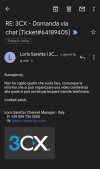
Buongiorno,

Non ho capito quello che vuole fare, comunque la informa che si può organizzare una video conferenza
alla quale si può anche partecipare tramite telefonata.

Cordiali saluti,


Loris Saretta | Channel Manager - Italia
P: +39 059 735 3000
W: https://www.3cx.com
 

Attachments

  • Screenshot_20220214-194956_Gmail.jpg
    Screenshot_20220214-194956_Gmail.jpg
    257.9 KB · Views: 2
Hi @PasqualeBS,

A good suggestion, try and open the WebMeeting on your PC, share your screen and connect to your CAD software machine. Then users will hear you and see the CAD software via the remote desktop session.

Un buon suggerimento, prova ad aprire il WebMeeting sul tuo PC, condividi il tuo schermo e connettiti alla tua macchina software CAD. Quindi gli utenti ti ascolteranno e vedranno il software CAD tramite la sessione desktop remoto.
 
Last edited:
  • Like
Reactions: PasqualeBS
Status
Not open for further replies.

Forum statistics

Threads
111,973
Messages
590,077
Members
164,896
Latest member
sameage