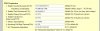
OK. Since the calls get dropped a totally different times I figured it MAY not be a timeout but a silence timeout so I tried to change the silence timeout ( see attachment )but at no avail. A call dropped this morning.
Here's the log for this call.
At the 10th line from the top you can see when we had to call back.
Hardware Revision: Main-- 2.0 Rev A Part Number-- 966-00003-20A
Product Model: GXW4104
Software Version: Program--1.3.4.10 Loader--1.1.3.4 Boot--1.1.3.2
Thank you for your help.
==============================================================================
09:48:24.370 [CM505001]: Ext.801: Device info: Device Identified: [Man: 3CX Ltd.;Mod: 3CX IVR;Rev: General] Capabilities:[reinvite, replaces, able-no-sdp, recvonly] UserAgent: [3CX IVR] PBX contact: [sip:
[email protected]:5060]
09:48:24.369 [CM503002]: Call(114): Alerting sip:
[email protected]:40600;rinstance=a8d340beb3a96450
09:48:24.220 [CM503025]: Call(114): Calling Ext:Ext.801@[Dev:sip:
[email protected]:40600;rinstance=a8d340beb3a96450]
09:48:24.176 [CM503004]: Call(114): Route 1: Ext:Ext.801@[Dev:sip:
[email protected]:40600;rinstance=a8d340beb3a96450]
09:48:24.176 [CM503010]: Making route(s) to <sip:
[email protected]:5060>
09:48:24.175 [CM505002]: Gateway:[Grandstream_GXW4104] Device info: Device Not Identified: User Agent not matched; Capabilities:[reinvite, replaces, able-no-sdp, recvonly] UserAgent: [Grandstream GXW4104 (HW 2.0, Ch:2) 1.3.4.10] PBX contact: [sip:
[email protected]:5060]
09:48:24.173 [CM503001]: Call(114): Incoming call from unknown@(Ln.10001@Grandstream_GXW4104) to <sip:
[email protected]:5060>
09:48:24.168 [CM503012]: Inbound out-of-office hours rule (unnamed) for 10001 forwards to DN:801
09:38:27.540 [CM506001]: STUN request to resolve SIP external IP

ort mapping is sent to STUN server 199.192.206.228:3478 over Transport 192.168.0.100:5060
09:35:21.508 [CM503008]: Call(113): Call is terminated
09:34:53.792 Currently active calls - 1: [113]
09:34:23.790 Currently active calls - 1: [113]
09:33:51.788 Currently active calls - 1: [113]
09:33:19.787 Currently active calls - 1: [113]
09:32:49.785 Currently active calls - 1: [113]
09:32:17.783 Currently active calls - 1: [113]
09:31:45.781 Currently active calls - 1: [113]
09:31:15.779 Currently active calls - 1: [113]
09:30:43.778 Currently active calls - 1: [113]
09:30:11.776 Currently active calls - 1: [113]
09:29:39.774 Currently active calls - 1: [113]
09:29:07.772 Currently active calls - 1: [113]
09:28:35.770 Currently active calls - 1: [113]
09:28:23.146 [CM503007]: Call(113): Device joined: sip:
[email protected]:5060;transport=udp
09:28:23.145 [CM503007]: Call(113): Device joined: sip:
[email protected]:55856;rinstance=65235774ae3d4c8c
09:28:23.134 [CM505002]: Gateway:[Grandstream_GXW4104] Device info: Device Not Identified: User Agent not matched; Capabilities:[reinvite, replaces, able-no-sdp, recvonly] UserAgent: [Grandstream GXW4104 (HW 2.0, Ch:8) 1.3.4.10] PBX contact: [sip:
[email protected]:5060]
09:28:23.134 [CM503002]: Call(113): Alerting sip:
[email protected]:5060;transport=udp
09:28:18.875 [CM503025]: Call(113): Calling PSTNline:xxx8536524@(Ln.10000@Grandstream_GXW4104)@[Dev:sip:
[email protected]:5060;transport=udp]
09:28:18.828 [CM503004]: Call(113): Route 1: PSTNline:xxx8536524@(Ln.10000@Grandstream_GXW4104)@[Dev:sip:
[email protected]:5060;transport=udp,Dev:sip:
[email protected]:5062;transport=udp,Dev:sip:
[email protected]:5064;transport=udp,Dev:sip:
[email protected]:5066;transport=udp]
09:28:18.827 [CM503010]: Making route(s) to <sip:
[email protected]:5060>
09:28:18.826 [CM505001]: Ext.102: Device info: Device Not Identified: User Agent not matched; Capabilities:[reinvite, replaces, able-no-sdp, recvonly] UserAgent: [3CXPhone 6.0.20943.0] PBX contact: [sip:
[email protected]:5060]
09:28:18.824 [CM503001]: Call(113): Incoming call from Ext.102 to <sip:
[email protected]:5060>
09:26:30.539 [CM503008]: Call(112): Call is terminated
09:25:59.761 Currently active calls - 1: [112]
09:25:40.631 [CM503007]: Call(112): Device joined: sip:
[email protected]:40600;rinstance=a8d340beb3a96450
09:25:40.630 [CM503007]: Call(112): Device joined: sip:
[email protected]:5062;transport=udp
09:25:40.626 [CM505001]: Ext.801: Device info: Device Identified: [Man: 3CX Ltd.;Mod: 3CX IVR;Rev: General] Capabilities:[reinvite, replaces, able-no-sdp, recvonly] UserAgent: [3CX IVR] PBX contact: [sip:
[email protected]:5060]
09:25:40.626 [CM503002]: Call(112): Alerting sip:
[email protected]:40600;rinstance=a8d340beb3a96450
09:25:40.477 [CM503025]: Call(112): Calling Ext:Ext.801@[Dev:sip:
[email protected]:40600;rinstance=a8d340beb3a96450]
09:25:40.433 [CM503004]: Call(112): Route 1: Ext:Ext.801@[Dev:sip:
[email protected]:40600;rinstance=a8d340beb3a96450]
09:25:40.432 [CM503010]: Making route(s) to <sip:
[email protected]:5060>
09:25:40.431 [CM505002]: Gateway:[Grandstream_GXW4104] Device info: Device Not Identified: User Agent not matched; Capabilities:[reinvite, replaces, able-no-sdp, recvonly] UserAgent: [Grandstream GXW4104 (HW 2.0, Ch:0) 1.3.4.10] PBX contact: [sip:
[email protected]:5060]
09:25:40.430 [CM503001]: Call(112): Incoming call from unknown@(Ln.10001@Grandstream_GXW4104) to <sip:
[email protected]:5060>
09:25:40.425 [CM503012]: Inbound out-of-office hours rule (unnamed) for 10001 forwards to DN:801