Inbound SMS using Twilio to 3CX not working

motivit.admin

Premier Customer
Joined
May 26, 2020
Messages
26
Reaction score
4
I’m reaching out for assistance regarding our Twilio phone number, which we’ve added as a trunk in our 3CX admin console for SMS functionality. While outbound messages are working perfectly, we’re experiencing issues with inbound SMS. Specifically, we can only receive messages from one phone number in our 3CX app.

According to the Twilio SMS logs, inbound messages are being received, but they’re not being forwarded to our 3CX app. I’ve double-checked all configurations in both 3CX and Twilio, and everything appears to be set up correctly.

Twilio Support mentioned that the Webhook URL generated by 3CX should respond with a 200 (OK) status instead of a 204 (No Content) to resolve this issue. However, I don’t see any option in 3CX to change the response code of the Webhook URL. Given that we can receive SMS on one number but not others, I’m starting to doubt that this is the root cause.

Do we need to whitelist Twilio's IP addresses in our 3CX firewall? Has anyone else experienced a similar issue, or does anyone have suggestions on what I can try next?

I’m running out of ideas on how to resolve this and would greatly appreciate any help.

Thank you!
 
Hi,

Making sure that all their possible IPs are allowed through would be a step if you are actively blocking connections to the PBX HTTPS port, generally that is globally open.

If you set the PBX to debug and sent a message, does it show up in the logs? If yes then we need to see why the PBX is not routing it, if not, then whatever the issue is, it's on Twilio side - since they can forward from one number, perhaps some filter on the SMS app definition.
 
Hi,

Making sure that all their possible IPs are allowed through would be a step if you are actively blocking connections to the PBX HTTPS port, generally that is globally open.

If you set the PBX to debug and sent a message, does it show up in the logs? If yes then we need to see why the PBX is not routing it, if not, then whatever the issue is, it's on Twilio side - since they can forward from one number, perhaps some filter on the SMS app definition.
Hello,

Thank you for your response. Unfortunately, Twilio has informed me that the IP addresses used for their REST APIs are highly dynamic and cover a large range, making it impractical to whitelist them.

Twilio Support confirmed today that a 204 response code from the Webhook URL is not an issue, although a 200 response code is recommended. I believe the Webhook URL is not the source of the problem, especially since we can receive SMS messages from one specific phone number in our 3CX app.

According to Twilio Support, their internal logs show that they are successfully hitting the Webhook, and they expect the SMS to be received in our 3CX app. However, I do not see any logs in our 3CX admin console. As I am new to 3CX, I am unsure how to check the PBX for debugging purposes or how to send a message. Could you please assist me with this and guide me on how to check our 3CX environment?

I appreciate your help.

Thank you,
 
Hi,

Go to https://pbx-url/#/office/dashboard/activity-log (or click Activity logs on the Dashboard), set Verbose in settings. Send some messages and put logging back to its Low state. Review the logs for anything interesting.
Hello,

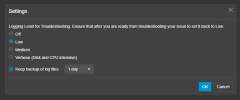
Thank you for the instructions. I can see that the settings for activity logs are set to Low State and enabled.

1761747282697.png

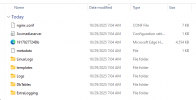
I performed both outbound and inbound SMS tests and downloaded the Support Info, as the logs do not appear on the Activity Logs page. However, there are numerous folders and log files. I attempted to review some of the log files, but I do not see anything related to Twilio or SMS.

1761747308743.png

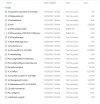
These are the log files under the "Logs" folder:

1761747323308.png

Could you please advise me on where I should focus my review?

Thank you,
 
Please set the log to Debug for the test, then back to Low when you are done, that way enough detail should become visible.
 
Please set the log to Debug for the test, then back to Low when you are done, that way enough detail should become visible.
Thank you. I attempted to set the activity log settings to Verbose, but it appears that I need to restart the 3CX services for the changes to take effect. Currently, I do not see any inbound or outbound logs for SMS, Chat, or Messaging after switching from Low to Verbose.

Unfortunately, it seems our 3CX environment cannot record any logs for SMS, which limits my ability to debug the issue. I have attached the activity logs related to Twilio for your review. However, based on my investigation, nothing in the logs appears to be connected to SMS.

I will keep you updated with any further developments.

Regards,
 

Attachments

Where are you routing messages? Do you DIDs assigned directly to users or do you route messages to a Queue or Digital receptionist?
Are your DIDs added in the +E164 number in your Twilio trunk (e.g. +14567891230)?

Logs related to SMS will show up in the 3cxManagementConsole.log but you need to have verbose logging enabled.
 

Forum statistics

Threads
112,064
Messages
590,575
Members
165,019
Latest member
rsaldin@advancedbrainspin