Incoming Call - Name

Status
Not open for further replies.

Tomas Raska

Forum User
Joined
Aug 18, 2017
Messages
99
Reaction score
10
Hello,
I have Problem with displayed Name of incoming call in web client

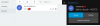
  1. When i have "company contact", then is displayed in first row number, and in second row name.
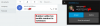
  2. When i dont have "company contact", and when incomin number is stored as mobile number in extension, then is on first row and too on second row only number.
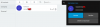
  3. And when i dont have "company contact" and number are not stored in extension as mobile number, then is used "Personal Phonebook" and on first row is number and second row is number + name

Why is not everytime displayed same information on second row? Name?
upload_2018-2-2_9-38-5.png

upload_2018-2-2_9-40-0.png

upload_2018-2-2_9-43-3.png
 
Hello @Tomas Raska

Web client will display two things when there is an inbound call. Caller Number and Caller Name. Usually, depending on your inbound parameters, both Caller Number and Name are set from the From:user part of the sip fields, which is the number. The PBX/client however will try to set the caller Name according to your contacts details if available.
With this in mind, if you don't have any contacts configured, you'll see the number twice.
In the case that the incoming number is configured as the extension's mobile number, you'll see the number twice, as the mobile number of the extension will not be considered as a contact.
Now regarding company vs personal contacts this is the normal behavior of the web client. Company contacts will replace the caller name entirely but personal contacts will append the contact's name to the caller name(number).
 
Status
Not open for further replies.

Latest Posts

Forum statistics

Threads
111,881
Messages
589,535
Members
164,739
Latest member
wmlcon