


- Joined
- Dec 13, 2021
- Messages
- 23
- Reaction score
- 3
I've successfully installed this in VM using ISO here: https://www.3cx.com/docs/manual/installing-debian-linux-pbx/
however after I go through the wizard (option 1), I get "your successfully completed" page, but how do I login to manage local management ?
Has this changed even in V18 ? its asking me to go to my domain, and reset/login there, which I can only assume, I would be about to see management page (eg, firewall checker and all like it was before)
Currently times out.
Is this the new thing ? and if so what ports do I need to forward for this ? I'm assuming port 5001, but my ISP' blocks certain ports so that could also be why it's blocked.. I can easily unblock it if that's what I need to do, but don't wish to unneccessary.
I'd prefer to login/manage locally on my own.
however after I go through the wizard (option 1), I get "your successfully completed" page, but how do I login to manage local management ?
Has this changed even in V18 ? its asking me to go to my domain, and reset/login there, which I can only assume, I would be about to see management page (eg, firewall checker and all like it was before)
Currently times out.
Is this the new thing ? and if so what ports do I need to forward for this ? I'm assuming port 5001, but my ISP' blocks certain ports so that could also be why it's blocked.. I can easily unblock it if that's what I need to do, but don't wish to unneccessary.
I'd prefer to login/manage locally on my own.


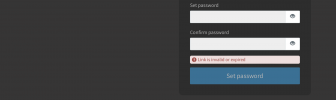


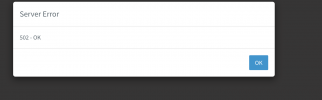
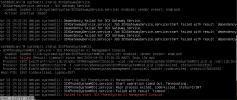

 "link expired" message went away error went away as well. I didn't think that would also be affected, but guess it makes sense if the system is not supported strange things can happen..


